Unleash your creativity and maximum comfort
As a workspace magician, PD Ergo Arm fully supports the flexibility of swivel, height adjustment, swivel, tilt and amazing cable management inside the arm. Create with an adaptable ergonomic design while enjoying incredible color performance. Regardless of whether you are working on a project or presenting your ideas to clients, there is always the right place and the right corner to do it.
Let the inspiration become reality
Industry Standard
The PD2706UA covers 95% of the P3, 100% sRGB and 100% Rec.709 color space and has an incredible Delta E ≤ 3 for excellent accuracy and absolute color confidence.
View Details
BenQ uniformity ensures authentic color from corner to corner and consistent luminescence. The display is divided into hundreds of sub-regions and meticulously tuned for precision to ensure reliable image fidelity.
Guarantee of quality
PD2706UA achieves CalMan, Pantone and Pantone SkinTone Validated status, attractive to those who value products that realize authenticity in the display of real colors.
Incredible color space coverage
Industry-leading color performance
The PD2706UA covers 95% of the P3, 99% sRGB and 99% Rec.709 color space and has an incredible Delta E ≤ 3 color reproduction to ensure excellent accuracy and absolute color confidence.
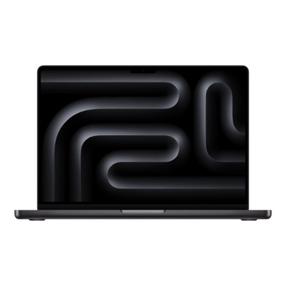
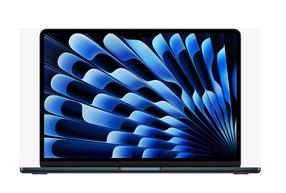
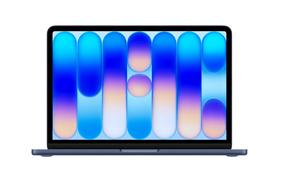
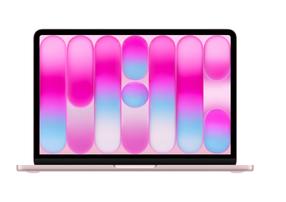
One click synchronizes the colors of your Mac device
BenQ's exclusive M-Book Mode provides active color synchronization, creating an additional layer for color accuracy.
Pantone Connect Premium
Go digital with BenQ, the first brand to partner with Pantone on a mobile app. As an existing owner or new purchaser of BenQ professional monitors, you'll receive one year of free Pantone Connect Premium for color consistency and accuracy across mobile devices.
Color consistency at your fingertips
BenQ ICCsync automatically adjusts and automatically synchronizes ICC profiles on the monitor when changing color modes, as well as between the laptop and the BenQ monitor. All this happens instantly.
KVM
With a built-in KVM (keyboard, video, mouse) switch function, the PD2706UA allows users to control two systems with one keyboard and mouse set. Click to switch between systems with Hotkey Puck G2 and increase your productivity.
Hotkey Puck G2
BenQ Hotkey Puck G2 offers users the flexibility to customize and access the features they use most often. Press and toggle the dial to access brightness, contrast and volume adjustments, as well as assign shortcuts to feature sets using the three function keys. Additionally, the rotation key allows users to assign custom shortcuts to settings.
PIP / PBP
Go to split screen. Picture-in-picture (PIP) and picture-by-picture (PBP) let you customize your workflow.
HDR technology
DisplayHDR 400 delivers better results when working on projects with better brightness, color uniformity and black levels
TÜV Rheinland certificate
Global safety authority TÜV Rheinland confirms that the flicker-free, low-blue light PD2706U monitor is indeed friendly to the human eye.
Low blue light emission - Low Blue Light
Low blue light technology filters harmful blue light to protect eyes of all ages.
No flickering - Flicker-Free™
Flicker-Free™ eliminates screen flickering found in traditional LCD monitors during long-term viewing.