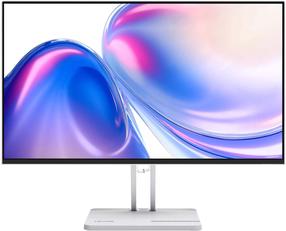
See more. Scroll less:Expand your view with this 30-inch WQXGA 16:10 monitor boasting 11% more screen real estate than a QHD 16:9 monitor.
True color:See 1.07 billion colors across a wide spectrum with 95% DCI-P3 and 100% sRGB color coverage.
Enhanced eye comfort:ComfortView Plus—an always-on, built-in low blue light screen—reduces potentially harmful blue light emissions without compromising color.
Beautiful view:Experience an edge-to-edge view with this sleek monitor featuring a virtually borderless InfinityEdge display and a premium platinum silver finish.
Stay connected
Jumpstart productivity:Wake up and power your laptop with a Power Sync feature.
iConnect to it all:Streamline your workspace with extensive connectivity ports including USB-C (up to 90W power delivery), RJ45 (Ethernet), DP1.4 and quick-access ports: USB 10Gbps
i and USB-C (up to 15W charging).
Network ready:Get enhanced manageability with MAC Address pass-through, PXE Boot, and Wake-on-LAN conveniently built in.
Peak productivity
Expand your productivity:With Display Stream Compression technology, you can daisy chain two monitors using a single DP cable. As a bonus, you can boost productivity by up to 21%
i with a dual monitor setup.
Made to multitask:Connect up to two PCs, and Intelligent Auto KVM detects that second PC and seamlessly switches controls over. You can display content from both PCs with Picture-by-Picture (PbP) and Picture-in-Picture (PiP), and use KVM (Keyboard, Video and Mouse) to control both PCs.
Professional adjustability
Experience made-for-you comfort by tilting, swiveling, pivoting and adjusting the height of your monitor (150mm max).
Dell Display Manager
Productive at every level:Easy Arrange allows you to easily tile multiple applications across one or more screens with 38 pre-set window partitions and the ability to personalize up to five windows, giving you improved multitasking abilities.
Seamless transitions:The auto-restore feature remembers where you left off, so applications will go back to where you left them, even after you’ve unplugged.
The key to convenience:Shortcut keys can save you even more time, letting you easily configure your display management settings so you can get to work faster.
More ways to manage:Asset management reports allow IT managers to quickly capture and track monitor information as well as configure multiple monitors at once through a single setup.
Expanded compatibility:With support for multiple operating systems
i, Dell Display Manager helps you stay productive however you work.
Green thinking for today and tomorrow
Environmental standards:This monitor uses 85% PCR (Post-consumer Recyclable) plastic in the design
i and meets the latest environmental standards such as EnergyStar® and TCO Certified Edge, and is registered EPEAT® Gold
i .
Eco-conscious packaging:Designed with the environment in mind, Dell commercial monitors come in 100% recyclable cardboard packaging.
iEnergy conservation:Save energy with PowerNap
i, a feature that dims or puts your monitor to sleep when it’s not in use.
Advancing sustainability:Dell Technologies is committed to reducing environmental impact throughout the product lifecycle. Read more about our commitment to sustainability and our 2030 Social Impact goals, and our product’s carbon footprint.