
Информация о товаре
Описание товара на английском языке:
Ultra-Thin Bezels on All Four Sides
The monitor features 1 mm ultra-slim bezels on the sides and top with black borders of 4.3 mm. Electrostatic switches are placed on the front of the monitor for easy adjustment of monitor settings. Furthermore the bezels are flush with the screen surface, making a completely flat screen perfect for multi-monitor configurations.


Flicker-Free Viewing
Due to the way brightness is controlled on LED backlights, a small number of people perceive flicker on their screen which causes eye fatigue. The FlexScan EV series utilizes a hybrid solution to regulate brightness and make flicker unperceivable without any drawbacks like compromising color stability – even on low brightness settings.

Auto Brightness Control
To prevent eye fatigue, a brightness sensor called Auto EcoView detects the changes in the ambient brightness that occurs throughout the day and automatically adjusts the screen to the ideal brightness level.

1% - 100% Brightness Range
In a dimly-lit work environment, a monitor with low brightness settings is more comfortable to use. With its LED backlight, the monitor is adjustable to 1 cd/m² which is less than 1% of the maximum.
Significantly Reduce Blue Light
In the visible light spectrum, blue light has wave lengths adjacent to ultraviolet light. Compared to the factory preset setting of 6,500 K of typical LCD monitors, Paper Mode is closer to the spectral distribution with long reddish wavelengths so it reduces the amount of blue light, a cause of eye fatigue, and helps prevent eyestrain when reading documents.
Clear View from All Angles
The monitor uses an LED-backlit IPS (in-plane switching) LCD panel with 178° viewing angle that minimizes color shift and contrast changes when viewing the screen at an angle. This means that two people sitting at the one computer can easily see the screen – and it also makes the EV2451 perfect for multi-monitor configurations.
White on White
The aesthetically-pleasing design of the monitor extends even to the cables. White cables come bundled with the white cabinet; and black cables with the black cabinet version of the FlexScan EV2451. Additionally the attached Cable Cover removes the potential eyesore of tangled cables by holding the cables neatly behind the stand.
Smooth Color Gradations
The monitor produces smooth image display by taking an 8-bit signal (256 tones per RGB) and selecting the optimum color values from a 10-bit look-up table (1,021 tones). Also, each monitor is adjusted on the factory line to minimize variability between units.
Maximum Energy Savings
The FlexScan EV2451 typically consumes just 13 watts, earning it the EU Energy Label maximum rating of A++. What's more, all models are certified for visual ergonomics and energy savings.

New Stand Design
The EV2451 comes with our latest stand design. It boasts greater height adjustment, and due to the tilted design has a base 43 mm smaller than previous stands giving you more space at your work station. Furthermore, the stand comes attached in the box – simply pull it out, plug it in – no stand setup required.
Screen InStyleTM
EIZO’s Screen InStyle is a newly developed software that allows you to easily manage multiple monitor settings such as power, color, brightness and gamma. But what makes Screen InStyle truly unique is that it allows you to manage multiple connected monitors from the one place – meaning that settings placed on one monitor are automatically applied to all connected monitors.
LED Backlight - Less Power, Longer Life
Compared to CCFL backlights, LED backlights last longer and consume less power. They are also mercury-free for minimal environmental impact.
Zero Bright Pixels
EIZO guarantees this product will be free from bright sub-pixels for six months from purchase date.
EIZO Monitor Configurator for Administrators
EIZO Monitor Configurator lets system administrators control the settings of all FlexScan EV monitors with a USB connection. The settings of one monitor can be saved as an xml file and applied to other monitors via USB or office network.

Mini PC Stand Bracket
The EV2451 can be equipped with a special VESA adapter called ‘PSCK-03’ which a mini PC or thin client can be mounted to. This accessory fits on the rear of the stand and does not affect the stability of the monitor.
Mounting a mini PC or thin client on the rear of the monitor clears up desk space and neatly hides your PC from view.
Ultra-Thin Bezels on All Four Sides
The monitor features 1 mm ultra-slim bezels on the sides and top with black borders of 4.3 mm. Electrostatic switches are placed on the front of the monitor for easy adjustment of monitor settings. Furthermore the bezels are flush with the screen surface, making a completely flat screen perfect for multi-monitor configurations.
Flicker-Free Viewing
Due to the way brightness is controlled on LED backlights, a small number of people perceive flicker on their screen which causes eye fatigue. The FlexScan EV series utilizes a hybrid solution to regulate brightness and make flicker unperceivable without any drawbacks like compromising color stability – even on low brightness settings.
Auto Brightness Control
To prevent eye fatigue, a brightness sensor called Auto EcoView detects the changes in the ambient brightness that occurs throughout the day and automatically adjusts the screen to the ideal brightness level.
1% - 100% Brightness Range
In a dimly-lit work environment, a monitor with low brightness settings is more comfortable to use. With its LED backlight, the monitor is adjustable to 1 cd/m² which is less than 1% of the maximum.
Significantly Reduce Blue Light
In the visible light spectrum, blue light has wave lengths adjacent to ultraviolet light. Compared to the factory preset setting of 6,500 K of typical LCD monitors, Paper Mode is closer to the spectral distribution with long reddish wavelengths so it reduces the amount of blue light, a cause of eye fatigue, and helps prevent eyestrain when reading documents.
Clear View from All Angles
The monitor uses an LED-backlit IPS (in-plane switching) LCD panel with 178° viewing angle that minimizes color shift and contrast changes when viewing the screen at an angle. This means that two people sitting at the one computer can easily see the screen – and it also makes the EV2451 perfect for multi-monitor configurations.
White on White
The aesthetically-pleasing design of the monitor extends even to the cables. White cables come bundled with the white cabinet; and black cables with the black cabinet version of the FlexScan EV2451. Additionally the attached Cable Cover removes the potential eyesore of tangled cables by holding the cables neatly behind the stand.
Smooth Color Gradations
The monitor produces smooth image display by taking an 8-bit signal (256 tones per RGB) and selecting the optimum color values from a 10-bit look-up table (1,021 tones). Also, each monitor is adjusted on the factory line to minimize variability between units.
Maximum Energy Savings
The FlexScan EV2451 typically consumes just 13 watts, earning it the EU Energy Label maximum rating of A++. What's more, all models are certified for visual ergonomics and energy savings.
New Stand Design
The EV2451 comes with our latest stand design. It boasts greater height adjustment, and due to the tilted design has a base 43 mm smaller than previous stands giving you more space at your work station. Furthermore, the stand comes attached in the box – simply pull it out, plug it in – no stand setup required.
Screen InStyleTM
EIZO’s Screen InStyle is a newly developed software that allows you to easily manage multiple monitor settings such as power, color, brightness and gamma. But what makes Screen InStyle truly unique is that it allows you to manage multiple connected monitors from the one place – meaning that settings placed on one monitor are automatically applied to all connected monitors.
LED Backlight - Less Power, Longer Life
Compared to CCFL backlights, LED backlights last longer and consume less power. They are also mercury-free for minimal environmental impact.
Zero Bright Pixels
EIZO guarantees this product will be free from bright sub-pixels for six months from purchase date.
EIZO Monitor Configurator for Administrators
EIZO Monitor Configurator lets system administrators control the settings of all FlexScan EV monitors with a USB connection. The settings of one monitor can be saved as an xml file and applied to other monitors via USB or office network.
Mini PC Stand Bracket
The EV2451 can be equipped with a special VESA adapter called ‘PSCK-03’ which a mini PC or thin client can be mounted to. This accessory fits on the rear of the stand and does not affect the stability of the monitor.
Mounting a mini PC or thin client on the rear of the monitor clears up desk space and neatly hides your PC from view.
Часто покупают вместе

Беспроцентный лизинг на 12 мес.
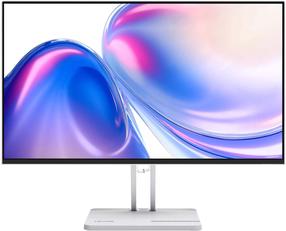
Монитор Lenovo L24-45, 67E3KAC6EU, ISP, 144 гц, FHD, 24″
Обычная цена
102,90 €
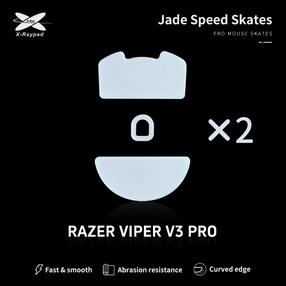
Ножки компьютерной мыши X-raypad Jade Skates Razer Deathadder V3 Pro, 2 шт.
Обычная цена
19,19 €

0€ в пакомат
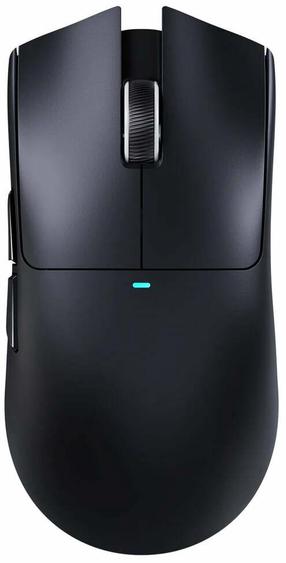
Беспроводная игровая мышь Attack Shark X11 SE, 2.4 ghz / bluetooth / usb, черный цв.
34,10 €
Обычная цена
36,90 €

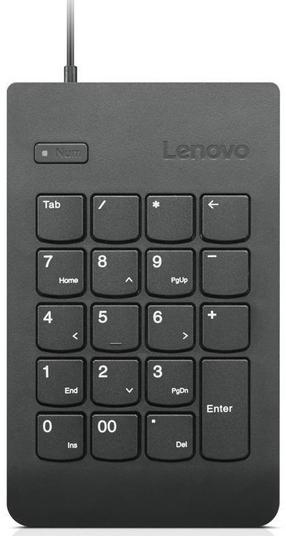
Цифровой блок Lenovo Essential Keypad Gen II, черный цв.
Обычная цена
38,90 €
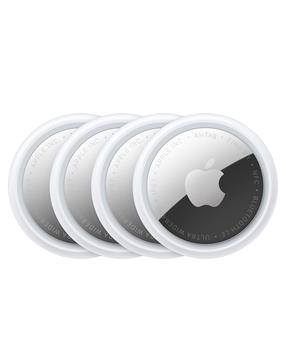
AirTag трекер предметов Apple Airtag 2 Gen, белый цв., 4 шт.
Обычная цена
119,00 €
Проводная компьютерная клавиатура Esperanza Titanum Titanum TKR101, EN/RU, черный цв.
6,95 €
Обычная цена
7,89 €


