
Информация о товаре
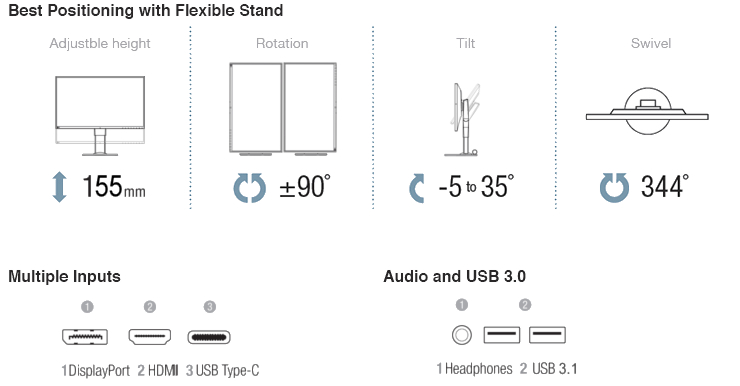
Eizo FlexScan EV2780
Описание товара на английском языке:
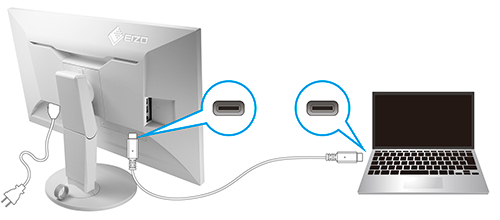
USB Type-C with Power Delivery
The FlexScan EV2780 comes with a USB Type-C port. With a single USB Type-C cable you can transmit both video and audio signals, transfer data, and also charge a laptop or smartphone all at the same time. What’s more, it has an internal power unit so no external AC adapter is required.
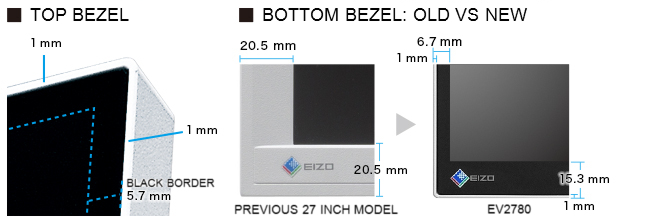
Ultra-thin bezels on all four sides
The monitor features 1 mm ultra-slim bezels on the sides and top with black borders of 5.7 mm. Electrostatic switches are placed on the front of the monitor for easy adjustment of monitor settings. Furthermore the bezels are flush with the screen surface, making a completely flat screen perfect for multi-monitor configurations.
Flicker-Free Viewing
Due to the way brightness is controlled on LED backlights, a small number of people perceive flicker on their screen which causes eye fatigue. The FlexScan EV series utilizes a hybrid solution to regulate brightness and make flicker unperceivable without any drawbacks like compromising color stability – even on low brightness settings.
Auto Brightness Control
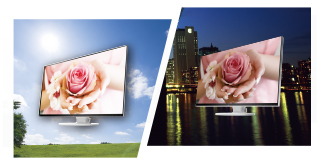
To prevent eye fatigue, a brightness sensor called Auto EcoView detects the changes in the ambient brightness that occurs throughout the day and automatically adjusts the screen to the ideal brightness level.
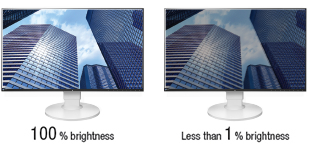
1% - 100% Brightness Range
In a dimly-lit work environment, a monitor with low brightness settings is more comfortable to use. With its LED backlight, the monitor is adjustable to 1 cd/m² which is less than 1% of the maximum.
Significantly Reduce Blue Light
In the visible light spectrum, blue light has wave lengths adjacent to ultraviolet light. Compared to the factory preset setting of 6,500 K of typical LCD monitors, Paper Mode is closer to the spectral distribution with long reddish wavelengths so it reduces the amount of blue light, a cause of eye fatigue, and helps prevent eyestrain when reading documents.
White on White
The aesthetically-pleasing design of the monitor extends even to the cables. White cables come bundled with the white cabinet; and black cables with the black cabinet version of the FlexScan EV2780. Additionally the attached Cable Holder neatly holds the cables behind the stand.
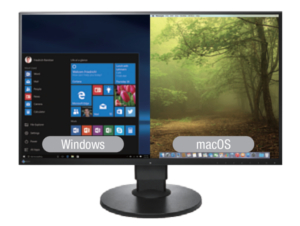
Picture by Picture
The FlexScan EV2780 lets you view data from two input sources at once such as a Windows and a Mac computer with no distracting bezel in between.
Clear View from All Angles
The monitor uses an LED-backlit IPS (in-plane switching) LCD panel with 178° viewing angle that minimizes color shift and contrast changes when viewing the screen at an angle. This means that two people sitting at the one computer can easily see the screen – and it also makes the EV2780 perfect for multi-monitor configurations.
EIZO Monitor Configuration for Administators
EIZO Monitor Configurator lets system administrators control the settings of all FlexScan EV monitors with a USB connection. The settings of one monitor can be saved as an xml file and applied to other monitors via USB or office network.
Описание товара на английском языке:
USB Type-C with Power Delivery
The FlexScan EV2780 comes with a USB Type-C port. With a single USB Type-C cable you can transmit both video and audio signals, transfer data, and also charge a laptop or smartphone all at the same time. What’s more, it has an internal power unit so no external AC adapter is required.
Ultra-thin bezels on all four sides
The monitor features 1 mm ultra-slim bezels on the sides and top with black borders of 5.7 mm. Electrostatic switches are placed on the front of the monitor for easy adjustment of monitor settings. Furthermore the bezels are flush with the screen surface, making a completely flat screen perfect for multi-monitor configurations.
Flicker-Free Viewing
Due to the way brightness is controlled on LED backlights, a small number of people perceive flicker on their screen which causes eye fatigue. The FlexScan EV series utilizes a hybrid solution to regulate brightness and make flicker unperceivable without any drawbacks like compromising color stability – even on low brightness settings.
Auto Brightness Control
To prevent eye fatigue, a brightness sensor called Auto EcoView detects the changes in the ambient brightness that occurs throughout the day and automatically adjusts the screen to the ideal brightness level.
1% - 100% Brightness Range
In a dimly-lit work environment, a monitor with low brightness settings is more comfortable to use. With its LED backlight, the monitor is adjustable to 1 cd/m² which is less than 1% of the maximum.
Significantly Reduce Blue Light
In the visible light spectrum, blue light has wave lengths adjacent to ultraviolet light. Compared to the factory preset setting of 6,500 K of typical LCD monitors, Paper Mode is closer to the spectral distribution with long reddish wavelengths so it reduces the amount of blue light, a cause of eye fatigue, and helps prevent eyestrain when reading documents.
White on White
The aesthetically-pleasing design of the monitor extends even to the cables. White cables come bundled with the white cabinet; and black cables with the black cabinet version of the FlexScan EV2780. Additionally the attached Cable Holder neatly holds the cables behind the stand.
Picture by Picture
The FlexScan EV2780 lets you view data from two input sources at once such as a Windows and a Mac computer with no distracting bezel in between.
Clear View from All Angles
The monitor uses an LED-backlit IPS (in-plane switching) LCD panel with 178° viewing angle that minimizes color shift and contrast changes when viewing the screen at an angle. This means that two people sitting at the one computer can easily see the screen – and it also makes the EV2780 perfect for multi-monitor configurations.
EIZO Monitor Configuration for Administators
EIZO Monitor Configurator lets system administrators control the settings of all FlexScan EV monitors with a USB connection. The settings of one monitor can be saved as an xml file and applied to other monitors via USB or office network.
Часто покупают вместе
Монитор Lenovo L24-45, 67E3KAC6EU, ISP, 144 гц, FHD, 24″
Обычная цена
102,90 €

Беспроцентный лизинг на 12 мес.
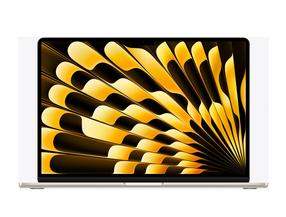
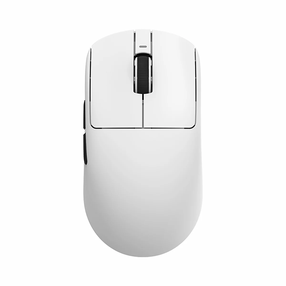
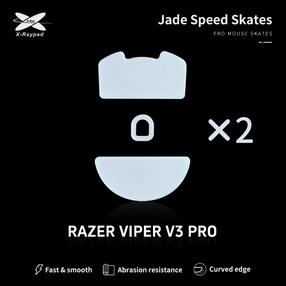
Ножки компьютерной мыши X-raypad Jade Skates Razer Deathadder V3 Pro, 2 шт.
Обычная цена
19,19 €
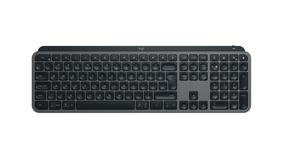
Беспроводная компьютерная клавиатура Logitech MX Keys S 920-011587, Английский (INT), графитовый цв.
95,00 €
Обычная цена
129,00 €

0€ в пакомат
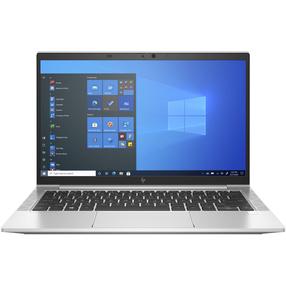
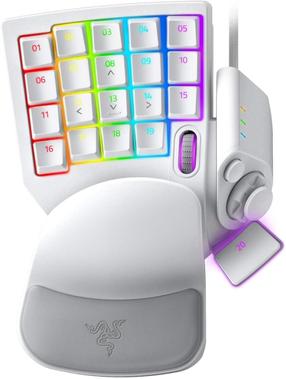
Обычная цена
211,90 €
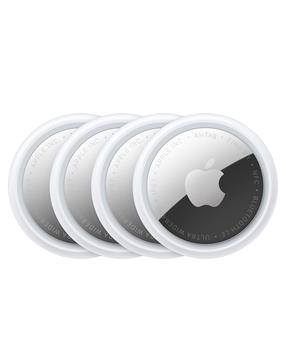
AirTag трекер предметов Apple Airtag 2 Gen, белый цв., 4 шт.
Обычная цена
119,00 €
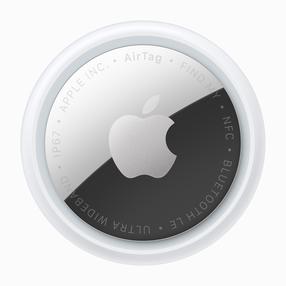
AirTag трекер предметов Apple Airtag 2 Gen, серебристый цв.
Обычная цена
35,99 €


