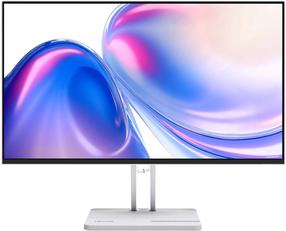
A monitor ready for any challenge. For study, work and entertainment
Take advantage of the flexibility of Samsung Smart M5 functionality! This unique monitor will guarantee you the best conditions to study, work and play in your favorite place . You no longer need a computer to continue the work started in the office - all you have to do is connect remotely to your work laptop or use the installed Microsoft Office 365. After finishing your duties, you can instantly turn your workplace into a place of relaxation with an integrated entertainment system.
What's more, thanks to the SmartThings application, you can adapt your home to your needs. In order to use all the possibilities of the application as part of cooperation between the monitor and the smartphone, it is enough to pair both devices once. The application informs, among other things, about which VOD application is currently running.
Mobile device on the big screen
Screen Mirroring is a practical function that allows you to make a 1:1 copy of the screen , i.e. a direct preview of your smartphone screen on the monitor in real time. If you want to see holiday photos or the latest series on the big screen - use the Touch and view option on your phone.
Endless entertainment
Feeling like an evening show? Turn on your favorite streaming app like Netflix or HBO Go on the SmartHub integrated entertainment platform. You do not have to turn on the computer - the movie will be played on the monitor screen, and the built-in speakers will provide excellent sound quality . Control the monitor conveniently with the practical remote control .
Plug and play
No more manually switching views between devices. Thanks to the Auto Source Switch+ function , the monitor automatically detects the latest connected device and displays the appropriate view . If more sources are connected, the Smart Monitor M5 will select the best ones by itself, and when the default source is inactive - the monitor will display the next best choice. Forget tedious menu searching .
Protecting your eyes
Eye Saver mode reduces the emission of harmful blue light that can be harmful to the retina. The Flicker Free feature reduces image flicker, which protects your eyes from fatigue. Now you can use your monitor for longer without putting too much strain on your eyes.