Информация о товаре
Описание товара на английском языке:
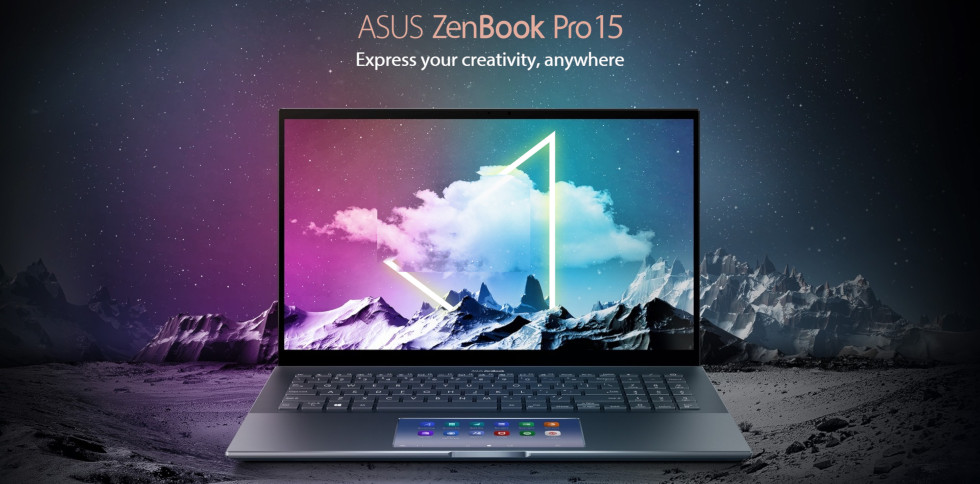
ZenBook Pro 15 is engineered for powerful productivity and primed to help you create, anywhere, any time. The revolutionary ASUS ScreenPad™1 touchscreen puts control right at your fingertips, while Intel® Core™ processors and NVIDIA® GeForce® GTX 1650 Ti discrete graphics team up to deliver serious performance. With a stunning 15-inch NanoEdge2 4K UHD OLED display and an 88% screen-to-body ratio, ZenBook Pro 15 has all the expanse and accuracy you need realize your creative vision.
This product isn't available yet. Please subscribe to receive emails from us with updates.
DISPLAY
Immersive NanoEdge 4K UHD OLED display
ZenBook Pro 15 features a NanoEdge 4K UHD OLED wide-view display, with ultraslim bezels that create up to an 88% screen-to-body ratio for incredibly immersive viewing experiences. This bright and clear display has a wide 100% DCI-P3 color gamut to ensure vivid colors.
DISPLAY
Extraordinary color
To display the most vivid and realistic colors possible, ZenBook Pro 15’s display supports an exceptionally wide 100% DCI-P3 color gamut. The DCI-P3 color space — widely used in the motion-picture industry — is increasingly the preferred choice of creative professionals for its vast range of colors, and makes images on ZenBook Pro 15 look simply stunning.
PERFORMANCE
Outstanding all-round performance
The latest 10th Generation Intel® Core™ processors in ZenBook Pro 15 deliver enhanced performance for all your creative tasks, and the up to NVIDIA® GeForce® GTX 1650 Ti discrete graphics offer desktop-level visual performance. ZenBook Pro 15 also features ultrafast storage, with up to a 1 TB PCIe® 3.0 x4 SSD or a PCIe SSD accelerated with 32 GB of Intel Optane™ Memory H10. ZenBook Pro 15 gives you the all-round performance you need to blitz through even the most demanding creative workloads.
GRAPHICS
High-performance graphics for creators
The NVIDIA® GeForce® GTX 1650 Ti discrete GPU in ZenBook Pro 15 gives you desktop-level performance in a laptop, with up to 2x faster performance than the previous GTX 1050 generation.
ScreenPad™
The Intelligent touchpad, evolved
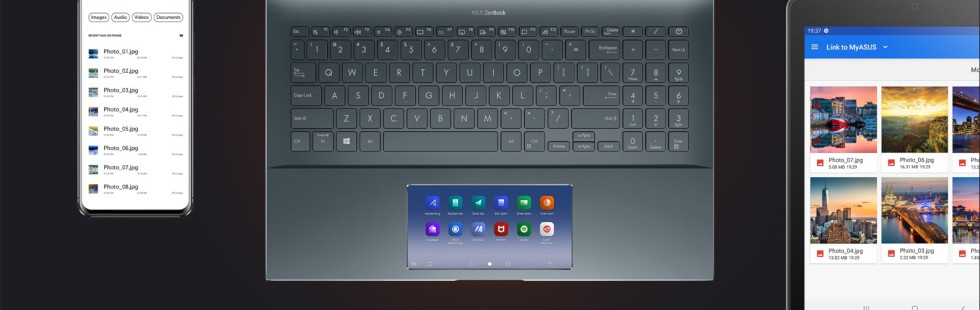
The new ScreenPad™3 upgrades the traditional laptop experience, adding an interactive secondary touchscreen that enhances your productivity with more possibilities. Its intuitive smartphone-like interface lets you easily manage tasks and create your own seamless multitasking workflow. There’s a series of handy ASUS utility apps to boost productivity including Phone Call, Task Group, Handwriting, and so on. There are also useful quick controls that improve the interactions between the main display and ScreenPad: for example, you can now launch a video or chat box — or many other apps — onto ScreenPad to take advantage of the extra space wherever you are, and without interrupting your work on the main display.
Drag an app onto the App Switcher icon to move it from the main screen to ScreenPad. You can also long-tap the App Switcher icon on ScreenPad to preview the open ScreenPad window on the main screen, or short-tap to move it to the main screen.Tap the Mode Switch icon to switch between ScreenPad control and touchpad functions. You can also quick-tap with three fingers to temporarily enable cursor mode: it will revert back to touch mode after 2 seconds.Swipe left to the last screen to add the selected apps to ScreenPad.Tap the App Navigator icon in the control center to view and manage all open apps on both screens.Customize app groups and use the Task Group icon to open multiple apps with one tap.Simply click on the Link to MyASUS icon when your laptop is paired with your phone to easily make phone calls from your laptop.With Handwriting you can take notes and record your thoughts or ideas the natural way.Number key is the easy and intuitive way to enter numeric data.
ScreenPad™
More possibilities
ScreenPad™ intelligently fits many apps into the 5.65-inch touchscreen, and you can effortlessly add apps to ScreenPad for instant access. The newly-optimized ScreenPad experience ensures that your favorite apps, such as Evernote® and Spotify®, will work perfectly on this secondary display right away, without the need for a ScreenPad-specific version. ASUS also works closely with third party developers, including video-editing software developer Corel®, to optimize adaptive ScreenPad tools for the ultimate productivity — and there’s much more to come. Get ready for the ScreenPad revolution!
* Software interface depicted is Spotify®.
Design
Style, in refined fashion
ZenBook Pro 15 is designed to complement your smart outlook, with a sleek frame that blends effortlessly into any professional or business setting. The burnished Pine Grey colorway is a mark of calm refinement, and the lid features a special off-center version of the iconic ZenBook spun-metal finish, for an aesthetic that’s as subtle as it is unique.
CONNECTIVITY
Full I/O ports, fast WiFi 6
ZenBook Pro 15 includes a full complement of I/O ports, including full-size HDMI and USB Type-A ports. The power of Thunderbolt™ 3 via USB-C® is at your disposal, and for easy data transfers from mobile devices there’s also a standard SD card reader.
SD card readerAudio jackUSB 3.2 Gen 1HDMI 2.0Thunderbolt™ 3 USB-C®DC-in
Fine-tuned with ASUS WiFi Master Premium technology4 and ASUS RangeBoost
ASUS offers a comprehensive range of wireless connectivity solutions. The WiFi 64 in your ZenBook Pro 15 allows you to load online content in the blink of an eye, and it’s made even better by ASUS WiFi Master technology, which includes ASUS WiFi SmartConnect and ASUS WiFi RangeBoost. WiFi SmartConnect automatically selects the best WiFi source, so your connects seamlessly to the best WiFi signal and known mobile hotspots. WiFi RangeBoost technology uses multiple antennas to achieve longer WiFi range and higher throughput, eliminating wireless dead zones.
NOISE CANCELATION
Next-level AI noise-canceling audio technology
With the increase of remote work and video conferences, we implemented the ASUS AI noise-canceling technology to ensure the best experience. ASUS AI noise-canceling audio employs machine learning in order to isolate unwanted noise from human speech. The ClearVoice Mic feature in the MyASUS app can filter out ambient noise, and normalize all individual voices in Multi-presenter mode from different positions for optimum group conference-call quality. The ClearVoice Speaker feature filters out all ambient noise apart from human speech — so you’ll hear what everyone else is saying. Try the demo to experience the amazing difference in different environment that ASUS AI noise-canceling technology can make.
USER EXPERIENCE
Designed for comfort and convenience
The ergonomic keyboard of ZenBook Pro 15 ensures precise feedback and a comfortable typing experience, with convenient function keys for instant access to common tasks and features. The infrared (IR) camera makes face login fast and easy with Windows Hello, even in dark environments.
ERGOLIFT FUNCTION KEYS IR CAMERA
ZenBook Pro 15 has a precision-engineered ErgoLift hinge that automatically lifts the rear of the laptop slightly when it’s opened, tilting the keyboard to the optimum typing angle.
SOFTWARE
MyASUS: Your exclusive app collection
ZenBook Pro 15 includes the latest version of MyASUS, a collection of handy ASUS apps and tools that help you get more out of your ZenBook Pro 15. Use it to team your iOS or Android phone with your laptop, to optimize your laptop’s performance, or to contact after-sales service and support. There’s also a huge range of popular app downloads and exclusive offers just for you!
ZenBook Pro 15 is engineered for powerful productivity and primed to help you create, anywhere, any time. The revolutionary ASUS ScreenPad™1 touchscreen puts control right at your fingertips, while Intel® Core™ processors and NVIDIA® GeForce® GTX 1650 Ti discrete graphics team up to deliver serious performance. With a stunning 15-inch NanoEdge2 4K UHD OLED display and an 88% screen-to-body ratio, ZenBook Pro 15 has all the expanse and accuracy you need realize your creative vision.
This product isn't available yet. Please subscribe to receive emails from us with updates.
DISPLAY
Immersive NanoEdge 4K UHD OLED display
ZenBook Pro 15 features a NanoEdge 4K UHD OLED wide-view display, with ultraslim bezels that create up to an 88% screen-to-body ratio for incredibly immersive viewing experiences. This bright and clear display has a wide 100% DCI-P3 color gamut to ensure vivid colors.
DISPLAY
Extraordinary color
To display the most vivid and realistic colors possible, ZenBook Pro 15’s display supports an exceptionally wide 100% DCI-P3 color gamut. The DCI-P3 color space — widely used in the motion-picture industry — is increasingly the preferred choice of creative professionals for its vast range of colors, and makes images on ZenBook Pro 15 look simply stunning.
PERFORMANCE
Outstanding all-round performance
The latest 10th Generation Intel® Core™ processors in ZenBook Pro 15 deliver enhanced performance for all your creative tasks, and the up to NVIDIA® GeForce® GTX 1650 Ti discrete graphics offer desktop-level visual performance. ZenBook Pro 15 also features ultrafast storage, with up to a 1 TB PCIe® 3.0 x4 SSD or a PCIe SSD accelerated with 32 GB of Intel Optane™ Memory H10. ZenBook Pro 15 gives you the all-round performance you need to blitz through even the most demanding creative workloads.
GRAPHICS
High-performance graphics for creators
The NVIDIA® GeForce® GTX 1650 Ti discrete GPU in ZenBook Pro 15 gives you desktop-level performance in a laptop, with up to 2x faster performance than the previous GTX 1050 generation.
ScreenPad™
The Intelligent touchpad, evolved
The new ScreenPad™3 upgrades the traditional laptop experience, adding an interactive secondary touchscreen that enhances your productivity with more possibilities. Its intuitive smartphone-like interface lets you easily manage tasks and create your own seamless multitasking workflow. There’s a series of handy ASUS utility apps to boost productivity including Phone Call, Task Group, Handwriting, and so on. There are also useful quick controls that improve the interactions between the main display and ScreenPad: for example, you can now launch a video or chat box — or many other apps — onto ScreenPad to take advantage of the extra space wherever you are, and without interrupting your work on the main display.
Drag an app onto the App Switcher icon to move it from the main screen to ScreenPad. You can also long-tap the App Switcher icon on ScreenPad to preview the open ScreenPad window on the main screen, or short-tap to move it to the main screen.Tap the Mode Switch icon to switch between ScreenPad control and touchpad functions. You can also quick-tap with three fingers to temporarily enable cursor mode: it will revert back to touch mode after 2 seconds.Swipe left to the last screen to add the selected apps to ScreenPad.Tap the App Navigator icon in the control center to view and manage all open apps on both screens.Customize app groups and use the Task Group icon to open multiple apps with one tap.Simply click on the Link to MyASUS icon when your laptop is paired with your phone to easily make phone calls from your laptop.With Handwriting you can take notes and record your thoughts or ideas the natural way.Number key is the easy and intuitive way to enter numeric data.
ScreenPad™
More possibilities
ScreenPad™ intelligently fits many apps into the 5.65-inch touchscreen, and you can effortlessly add apps to ScreenPad for instant access. The newly-optimized ScreenPad experience ensures that your favorite apps, such as Evernote® and Spotify®, will work perfectly on this secondary display right away, without the need for a ScreenPad-specific version. ASUS also works closely with third party developers, including video-editing software developer Corel®, to optimize adaptive ScreenPad tools for the ultimate productivity — and there’s much more to come. Get ready for the ScreenPad revolution!
* Software interface depicted is Spotify®.
Design
Style, in refined fashion
ZenBook Pro 15 is designed to complement your smart outlook, with a sleek frame that blends effortlessly into any professional or business setting. The burnished Pine Grey colorway is a mark of calm refinement, and the lid features a special off-center version of the iconic ZenBook spun-metal finish, for an aesthetic that’s as subtle as it is unique.
CONNECTIVITY
Full I/O ports, fast WiFi 6
ZenBook Pro 15 includes a full complement of I/O ports, including full-size HDMI and USB Type-A ports. The power of Thunderbolt™ 3 via USB-C® is at your disposal, and for easy data transfers from mobile devices there’s also a standard SD card reader.
SD card readerAudio jackUSB 3.2 Gen 1HDMI 2.0Thunderbolt™ 3 USB-C®DC-in
Fine-tuned with ASUS WiFi Master Premium technology4 and ASUS RangeBoost
ASUS offers a comprehensive range of wireless connectivity solutions. The WiFi 64 in your ZenBook Pro 15 allows you to load online content in the blink of an eye, and it’s made even better by ASUS WiFi Master technology, which includes ASUS WiFi SmartConnect and ASUS WiFi RangeBoost. WiFi SmartConnect automatically selects the best WiFi source, so your connects seamlessly to the best WiFi signal and known mobile hotspots. WiFi RangeBoost technology uses multiple antennas to achieve longer WiFi range and higher throughput, eliminating wireless dead zones.
NOISE CANCELATION
Next-level AI noise-canceling audio technology
With the increase of remote work and video conferences, we implemented the ASUS AI noise-canceling technology to ensure the best experience. ASUS AI noise-canceling audio employs machine learning in order to isolate unwanted noise from human speech. The ClearVoice Mic feature in the MyASUS app can filter out ambient noise, and normalize all individual voices in Multi-presenter mode from different positions for optimum group conference-call quality. The ClearVoice Speaker feature filters out all ambient noise apart from human speech — so you’ll hear what everyone else is saying. Try the demo to experience the amazing difference in different environment that ASUS AI noise-canceling technology can make.
USER EXPERIENCE
Designed for comfort and convenience
The ergonomic keyboard of ZenBook Pro 15 ensures precise feedback and a comfortable typing experience, with convenient function keys for instant access to common tasks and features. The infrared (IR) camera makes face login fast and easy with Windows Hello, even in dark environments.
ERGOLIFT FUNCTION KEYS IR CAMERA
ZenBook Pro 15 has a precision-engineered ErgoLift hinge that automatically lifts the rear of the laptop slightly when it’s opened, tilting the keyboard to the optimum typing angle.
SOFTWARE
MyASUS: Your exclusive app collection
ZenBook Pro 15 includes the latest version of MyASUS, a collection of handy ASUS apps and tools that help you get more out of your ZenBook Pro 15. Use it to team your iOS or Android phone with your laptop, to optimize your laptop’s performance, or to contact after-sales service and support. There’s also a huge range of popular app downloads and exclusive offers just for you!
Часто покупают вместе
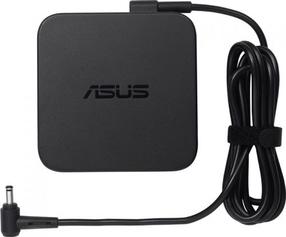
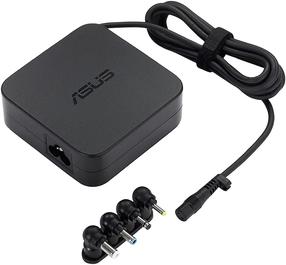
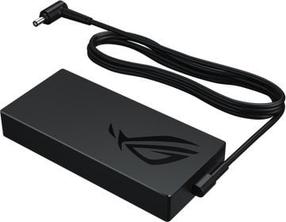
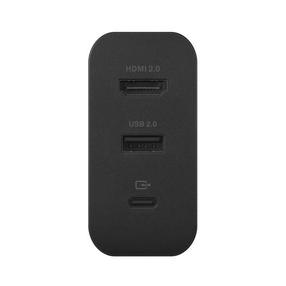
Зарядное устройство для ноутбуков Asus 90XB014N-MPW0P0, 90 Вт, 100 - 240 В, 1.8 м
86,90 €
Обычная цена
100,90 €

0€ в пакомат