Информация о товаре
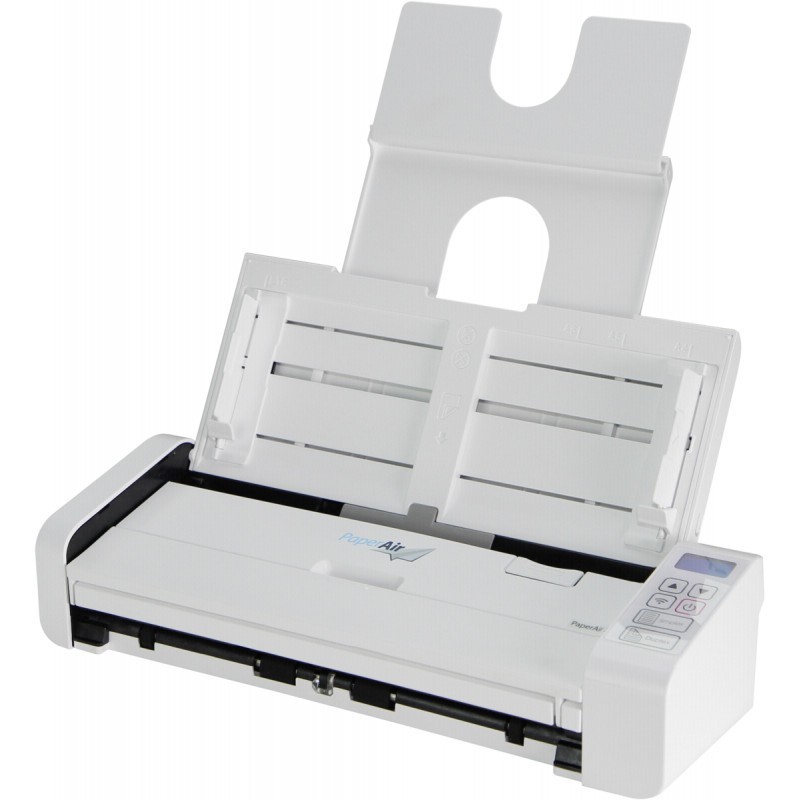
Compact and Portable
At 11.8 inches long and weighting only 1.4 kg, the Avision PaperAir 215 incorporates a built-in automatic document feeder ( ADF ) and card scanner in a compact unit. With the innovative design of a fordable automatic document feeder and a front/rear tray, the PaperAir 215 is easy to travel with and lets you bring productivity of batches scanning to any workplace.
Easy-To-Use PaperAir Manager Software
For the broader consumer who may not necessarily have any knowledge about scanner, Avision introduced the easy-to-use PaperAir Manager software without a TWAIN driver. Simply install and press the Scan button, the scan is completed with the predefined scan settings. Using PaperAir you gain perhaps the easiest scanning experience that allows you to scan multiple pages no matter the size and color of your document.
Searching Document has never been easier
PaperAir Manager comes with a powerful search engine. With this engine, all documents can be scanned and all the image text can be recognized and saved into a database through the text recognition process. Simply type your keyword, your document can be searched within seconds through the recognized image text, the file name, and the tag information.
Convert paper documents into Microsoft Word/Excel/PowerPoint files
PaperAir 215 scanner let you automatically recognize image text and save image and the text into a Microsoft Word/Excel/PowerPoint file.
E-mail or print a scanned image directly from scanning
You can attach the scanned image to your default e-mail software application or print it out with your printer instead of using a copy machine.
Productive and Flexible
The PaperAir 215 is productive at scan rate of up to 20 ppm and 40 ipm through the built-in 20-page auto document feeder and accommodate document up 14”.
To capture high quality card image, the PaperAir 215 also includes special front and rear tray to handle plastic ID cards, driver licenses, and even embossed cards up to 1.25 mm or paper up to legal size ( 8.5 x 14 in. ) and weight between 27 and 120 g/m2.
Front Loading and Front Ejecting Path
In addition to loading multiple pages from the auto document feeder, the scanner is designed innovatively with the fordable front tray to accommodate irregular sizes and weights of paper such as your paper clippings, fragile paper, or embossed cards. The straight paper path ensures consistent high image-quality and eliminates the need for clearance space behind the scanner.
Features:
l Fast scan rate up to 20 pages per minute and 40 images per minute
l Create searchable PDF files
l 20-page Auto Document Feeder ( 27 and 120 g/m2 )
l Front Feeder to accept embossed card up to 1.25 mm and paper up to legal size and weight between 27 and 413 g/m2
l Auto crop and straighten a skew document
l Press and paste your image text directly to your Microsoft Words, PowerPoint, Excel after the text recognition process
l Press and scan to cloud servers
l Earth-friendly LED technology
l Auto power off setting
Часто покупают вместе
Светильник настенный Trio Avisio, LED, 3000 °К, 2 x 2 Вт, белый цв. / белый цв.
Обычная цена


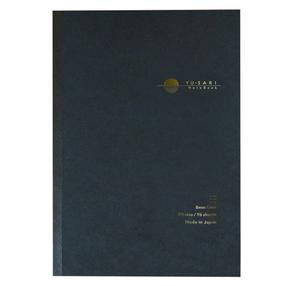
Записная книжка Nakabayashi Yu-Sari NYN-B501-NU, в линейку, B5, черный цв.
Обычная цена