Preces informācija
Preces apraksts angļu valodā:
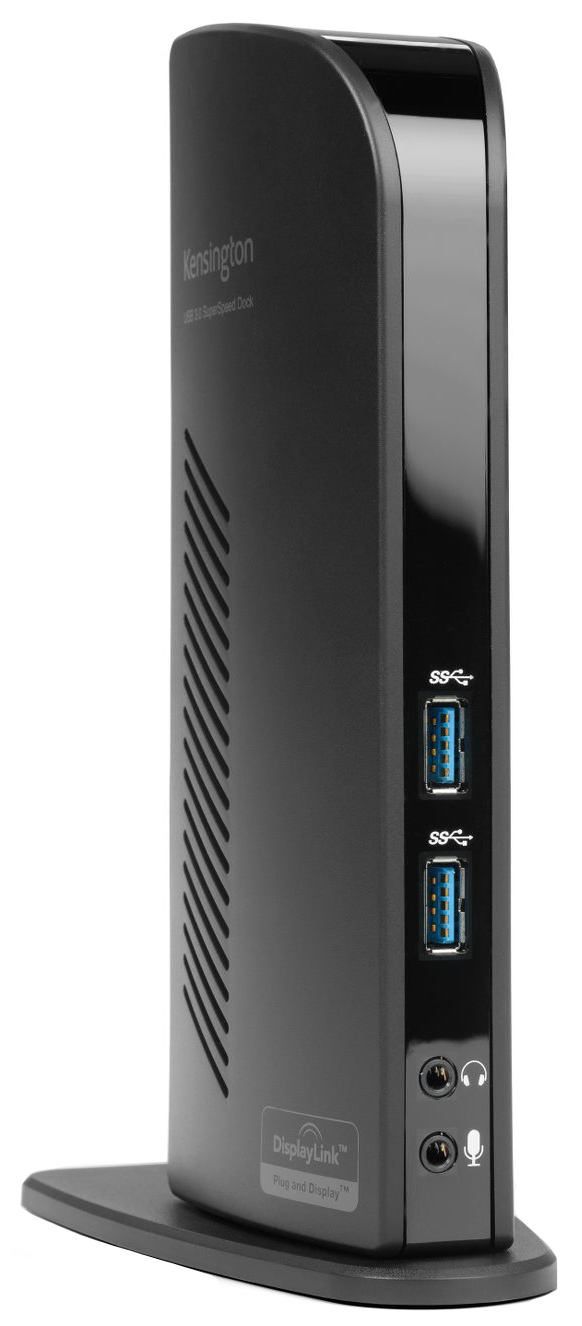 Ultrabooks™ and other super slim laptop computers like the Apple MacBook deliver sleek good looks. However, they usually come up short on ports for connectivity. As a result, you’re constantly plugging and unplugging peripherals to connect to the devices you need. That’s where the Kensington USB 3.0 Dual Docking Station comes in. It turns one USB port into six so that with one hot swappable USB connection you’ll have access to all of your peripherals, including printer, external drive, scanner, keyboard & mouse, audio 2.0 speakers and even two 1080HD video monitors.
- Optimized for Ultrabooks or MacBook to turn one USB port into 6
- Supports MAC OSX from V10.6 (Leopard) right up to the latest Mountain Lion releases
- Now also compatible with the MicroSoft Surface Pro
- Quick one-touch USB connection for hassle-free setup
- Corporate Install feature allows administrators to install the graphic driver over a MicroSoft® server
- High-speed data transfer of up to 5 Gbps
- 1080p HD video for high quality video
- Faster network and Internet access with Gigabit Ethernet connection
- Audio 2.0 for enhanced sound
- Compatible with USB 3.0 and 2.0
Connect two additional screens with 1 DVI Out & 1 HDMI Out
Expand your workspace by adding additional monitors. Connect your DVI monitor to the DVI port or use the included DVI>VGA adapter to connect your VGA monitor. If you've got an HDMI monitor, you can connect directly into the HDMI out port. You can also connect a second HDMI monitor to the DVI port using the included DVI>HDMI adapter. You can run both the DVI and HDMI ports simultaneously.
Extend Mode
Extend your workspace by making it bigger. Extend mode allows you to share your whole desktop across multiple screens. Ideal for improved productivity by working with, and viewing, multiple applications at the same time.
Clone Mode
Allows you to replicate the same content on your second display as you do on your master display.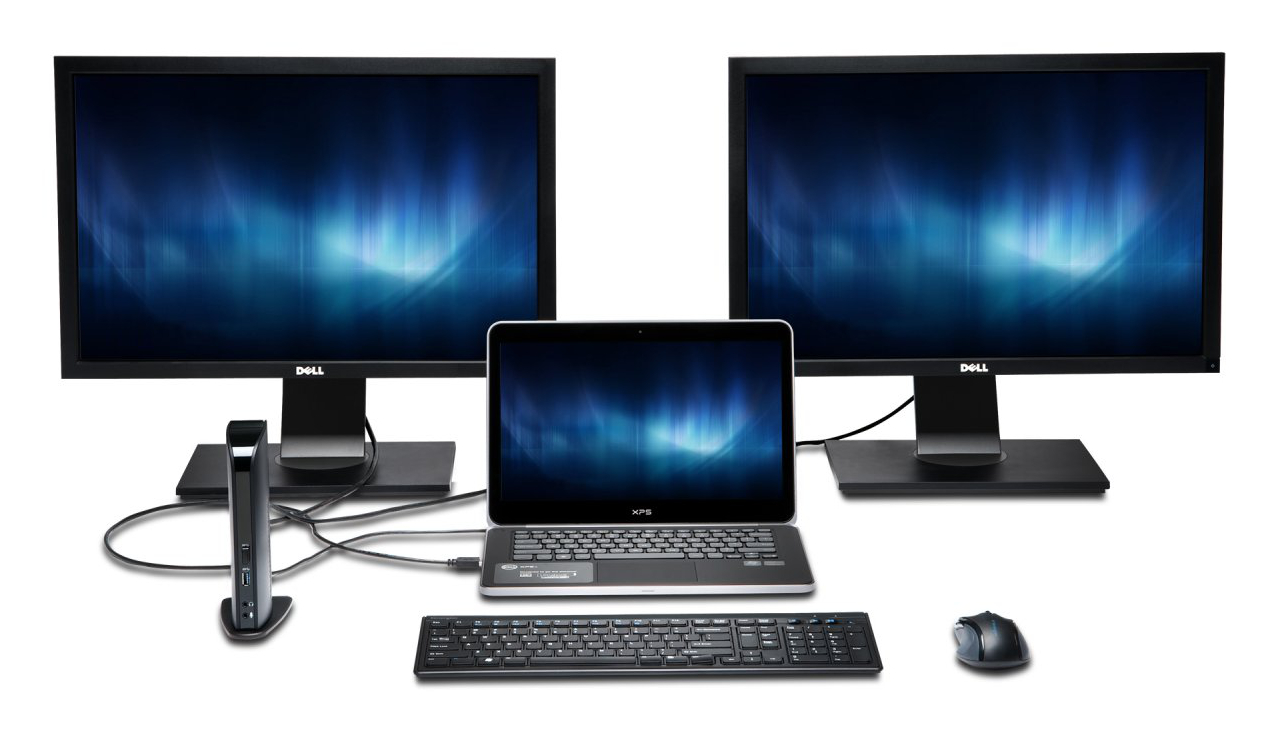
2 Front USB 3.0 Ports
Two fast and powerful USB 3.0 ports are positioned on the front of the dock for when you want to charge a phone or tablet, or transfer data from another device. Headphone and microphone input ports are also conveniently within reach when they’re needed.
4 Rear USB 2.0 Ports
Connect all your peripherals with 4 USB ports. These ports are strategically located on the back of the docking station to help keep your printer, keyboard and mice cables or wireless dongles hidden from view.
Display Settings Software
Our intuitive display management console sits on your applications bar and allows you to easily switch between display modes, change the master monitor or adjust alignment and position of your screens. Our corporate install support provides for mass installation via the Microsoft® server.
Add more screens
You can hook up even more monitors using a multi-display adapter, which is available separately. These connect into one of the six USB ports and can be used with DVI or VGA monitors.
Bieži pirkts kopā