Preces informācija
Samsung DB55E
Preces apraksts angļu valodā:
| Attract customers with optimised 16/7 performance

Attract customers and improve your professional image with DBE Series SMART Signage, featuring 350 nit brightness, stunning picture quality and reliable 16/7 operation. Bright DBE Series displays eliminate interrupted visibility by reducing glare down to 2%. Picture quality can be optimised for virtually any conditions with a colour enhancer, contrast enhancer, detail enhancer and colour temperature control. Whether your business requires rich colour and detailed textures, sharp text and image display or multi-display video wall content, you can adjust DBE Series displays to clearly convey your message. | Engage viewers with an attractive design that is optimised for the environment
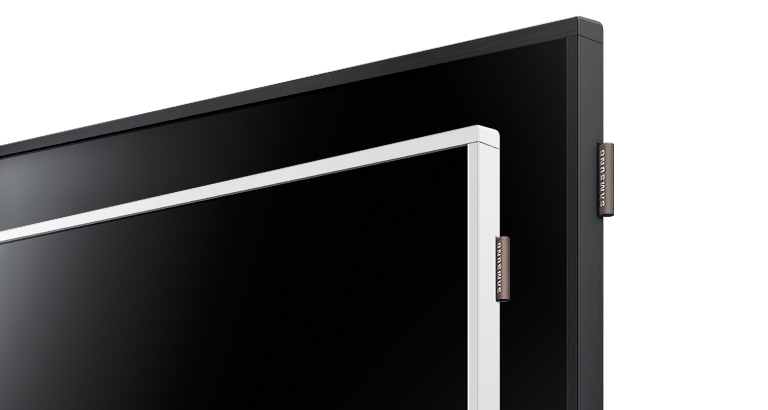
Enhance your display environment with sleek, streamlined displays. DBE Series displays maintain the same stunning design as previous Samsung D-Series SMART Signage for convenient and efficient mechanical compatibility. The displays feature slim and elegant black hairline deco-bezels or white colour deco-bezels* to complement your business décor. And, a flexible, tag-type spacer with a logo is designed for either portrait or landscape installations to create a polished, professional look in any space.
| Conveniently and simply manage a rich array of content with an advanced content management platform
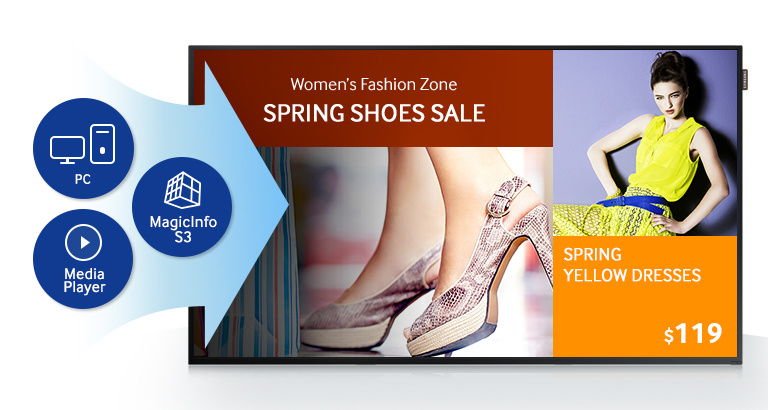
Deliver myriad rich content with DBE Series built-in media player and simplified management through 3rd Generation Samsung SMART Signage Platform (SSSP). An internal memory upgrade from 4 GB to 8 GB enhances the displays’ usability. The embedded, all-in-one 3rd Generation SSSP eliminates the need for a separate PC or media player to streamline digital signage operation and improve total cost of ownership (TCO). New MagicInfo S3, a content management solution embedded in 3rd Generation SSSP enables you to create, deploy and manage content more easily than the previous version with an enhanced UI and UX. MagicInfo S3 leverages 3rd Generation SSSP, an open platform that provides compatibility with myriad third-party software for flexibility and ease of use with other applications. | Easily manage digital signage with a simplified Home UI
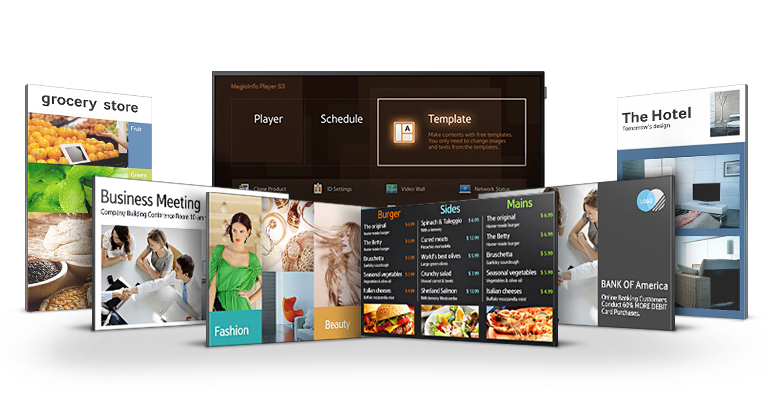
Heighten efficiency and productivity with a newly designed Home Menu UI that displays frequently used functions in a new, large-button matrix design. Simplify usage with a selection of customisable menu configurations that allow ready access to repeatedly used menus. Generate content more easily and conveniently than ever with the Home Menu’s newly designed templates for various vertical markets including grocery stores, QSRs, terminals and lobbies. Leverage these sharp, professional template layouts to produce and design content in either portrait or landscape orientation. And, turn the Home Menu into a touch-activated user experience by adding an optional Touch Overlay.
| Transform your business messaging with a brilliant, yet simple content creator featuring free fonts, convenient stickers, dynamic effects and a weather widget
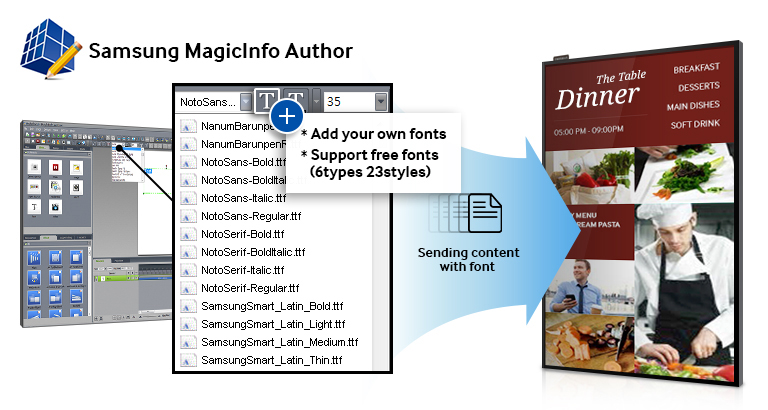
Boost revenues with professionally polished display content generated with a content management solution, MagicInfo S3, embedded within the new 3rd generation SSSP. Along with widgets and stickers, the solution provides 6 different types of free fonts in 23 styles. New MagicInfo S3 eliminates single-font formatting limitations with the upgraded ability to select from various free fonts or add your own. Use handy stamps and either preset or self-created, text-editable stickers to update your promotional information and price tags for convenient and straightforward content changes. Create eye-catching transitions with Dynamic Effect, a feature that enables slideshow-type effects, such as fade, fly-on and zoom. Plus, you can leverage a drag-and-drop widget solution to simply add widgets such as AccuWeather that displays daily and weekly weather for the ultimate in professional content presentation. | Manage digital signage wirelessly, virtually anywhere, anytime on a mobile device
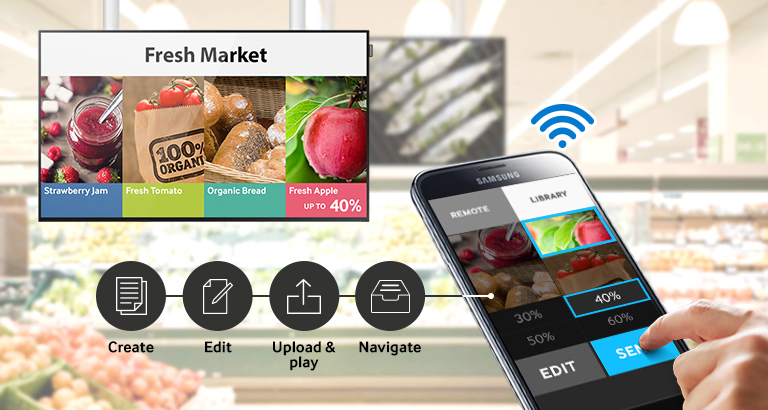
Simplify content control and enhance efficiency by using the MagicInfo S3 mobile application on your mobile device to create, edit and deploy content. Wirelessly connect to easily create content using templates, upload and play material from a mobile device, quickly edit content, and readily use playlist navigation to select and start content playing. Further extend connectivity using embedded Wi-Fi, which provides control and sharing with note PCs, tablets and smartphones. * Content creation is applicable on tablet devices only.
Preces apraksts angļu valodā:
| Attract customers with optimised 16/7 performance
Attract customers and improve your professional image with DBE Series SMART Signage, featuring 350 nit brightness, stunning picture quality and reliable 16/7 operation. Bright DBE Series displays eliminate interrupted visibility by reducing glare down to 2%. Picture quality can be optimised for virtually any conditions with a colour enhancer, contrast enhancer, detail enhancer and colour temperature control. Whether your business requires rich colour and detailed textures, sharp text and image display or multi-display video wall content, you can adjust DBE Series displays to clearly convey your message. | Engage viewers with an attractive design that is optimised for the environment
Enhance your display environment with sleek, streamlined displays. DBE Series displays maintain the same stunning design as previous Samsung D-Series SMART Signage for convenient and efficient mechanical compatibility. The displays feature slim and elegant black hairline deco-bezels or white colour deco-bezels* to complement your business décor. And, a flexible, tag-type spacer with a logo is designed for either portrait or landscape installations to create a polished, professional look in any space.
| Conveniently and simply manage a rich array of content with an advanced content management platform
Deliver myriad rich content with DBE Series built-in media player and simplified management through 3rd Generation Samsung SMART Signage Platform (SSSP). An internal memory upgrade from 4 GB to 8 GB enhances the displays’ usability. The embedded, all-in-one 3rd Generation SSSP eliminates the need for a separate PC or media player to streamline digital signage operation and improve total cost of ownership (TCO). New MagicInfo S3, a content management solution embedded in 3rd Generation SSSP enables you to create, deploy and manage content more easily than the previous version with an enhanced UI and UX. MagicInfo S3 leverages 3rd Generation SSSP, an open platform that provides compatibility with myriad third-party software for flexibility and ease of use with other applications. | Easily manage digital signage with a simplified Home UI
Heighten efficiency and productivity with a newly designed Home Menu UI that displays frequently used functions in a new, large-button matrix design. Simplify usage with a selection of customisable menu configurations that allow ready access to repeatedly used menus. Generate content more easily and conveniently than ever with the Home Menu’s newly designed templates for various vertical markets including grocery stores, QSRs, terminals and lobbies. Leverage these sharp, professional template layouts to produce and design content in either portrait or landscape orientation. And, turn the Home Menu into a touch-activated user experience by adding an optional Touch Overlay.
| Transform your business messaging with a brilliant, yet simple content creator featuring free fonts, convenient stickers, dynamic effects and a weather widget
Boost revenues with professionally polished display content generated with a content management solution, MagicInfo S3, embedded within the new 3rd generation SSSP. Along with widgets and stickers, the solution provides 6 different types of free fonts in 23 styles. New MagicInfo S3 eliminates single-font formatting limitations with the upgraded ability to select from various free fonts or add your own. Use handy stamps and either preset or self-created, text-editable stickers to update your promotional information and price tags for convenient and straightforward content changes. Create eye-catching transitions with Dynamic Effect, a feature that enables slideshow-type effects, such as fade, fly-on and zoom. Plus, you can leverage a drag-and-drop widget solution to simply add widgets such as AccuWeather that displays daily and weekly weather for the ultimate in professional content presentation. | Manage digital signage wirelessly, virtually anywhere, anytime on a mobile device
Simplify content control and enhance efficiency by using the MagicInfo S3 mobile application on your mobile device to create, edit and deploy content. Wirelessly connect to easily create content using templates, upload and play material from a mobile device, quickly edit content, and readily use playlist navigation to select and start content playing. Further extend connectivity using embedded Wi-Fi, which provides control and sharing with note PCs, tablets and smartphones. * Content creation is applicable on tablet devices only.
Bieži pirkts kopā

TOP prece

0 € uz pakomātu
3 349,00 €
Parastā cena
3 590,00 €
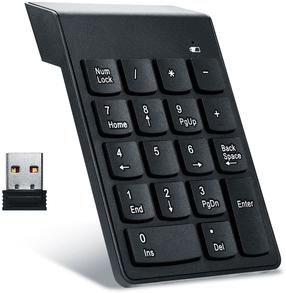

0 € uz pakomātu
0 € uz pakomātu
0 € uz pakomātu