Preces informācija
Prekės aprašymas anglų kalba:
Work it, own it
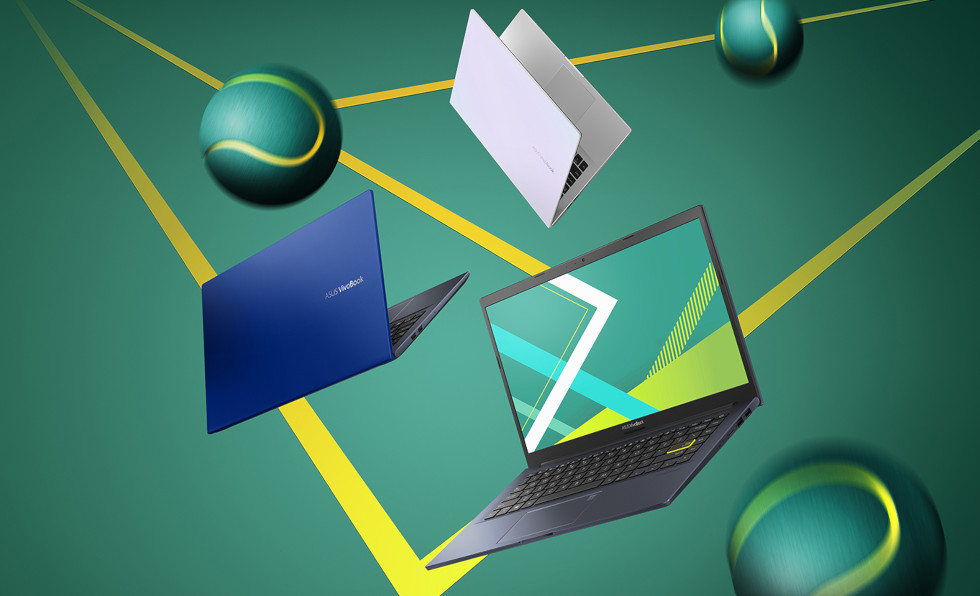
With standout colors and a color-blocking Enter key, ASUS VivoBook 14 adds flair and dynamism to daily computing. With its Intel® Core™ i7 processor and the latest NVIDIA GeForce GPU, VivoBook 14 provides the power you need to get things done. What's more, the unique ASUS NumberPad 2.0 makes number-crunching tasks easy and efficient.
Colors
Express the true you
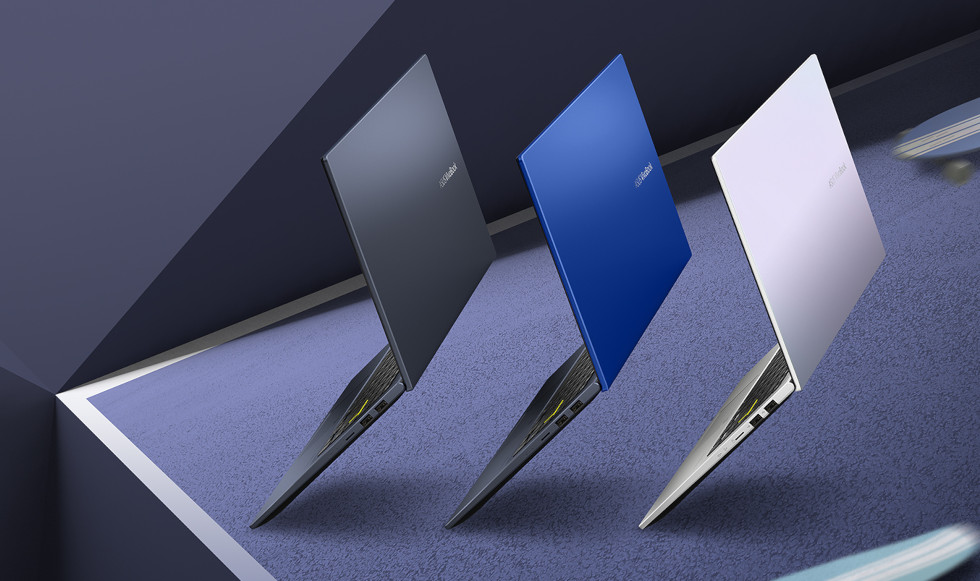
VivoBook 14 is about self-expression, and is available in bold Bespoke Black, idealistic Dreamy White, and in-your-face Cobalt Blue. Pick the color that expresses who you are.
Design
Say Yellow! to the world
The theme of expressive colors continues under the lid, where a color blocking Enter key takes center stage.
NanoEdge Display
A better view with NanoEdge
The thin-bezel NanoEdge display provides an expansive and immersive viewing experience by enabling a larger screen in smaller frame. The Full HD display also offers wide viewing angles and exceptional color reproduction for truly vivid visuals.
Lightweight
It goes where you go
VivoBook 14 keeps you productive and entertained, no matter where you are. With an overall weight of just 1.4kg and an ultrathin profile, VivoBook 14 easily slips into your backpack so you can effortlessly take it along.
Performance
Fuel your productivity
Powered by the latest Intel Core i7 processor with up to 16GB memory and the latest NVIDIA GeForce GPU, VivoBook 14 offers the performance you need to get through any task. It also features a large-capacity PCIe® SSD for superfast storage.
NumberPad
Reinventing the touchpad
The new ASUS NumberPad 2.0 makes things easier when it's time to crunch numbers. Simply tap the touchpad icon to turn the touchpad into a LED-illuminated numeric pad.
Fingerprint
One-touch to log in
Accessing your ASUS VivoBook 14 has never been easier or more secure. With the built-in fingerprint sensor in the touchpad and Windows Hello, there's no need to type in your password every time to log in — just a single touch is all it takes!
Exactly your type
The full-size backlit keyboard on VivoBook 14 is perfect for working in dim environments. Its sturdy one-piece construction and 1.4mm key travel provide a comfortable typing experience.
Connectivity
Connecting the possibilities
VivoBook 14 features a reversible USB 3.2 Gen 1 Type-C™ port with an any-way-up design that makes connecting devices effortless. It also includes USB 3.2 Gen 1 and USB 2.0 ports, HDMI output, and a microSD card reader — so you can easily connect all your current peripherals, displays and projectors.
Simplifying your world
Link to MyASUS is a handy tool that's part of the MyASUS app. It seamlessly integrates your ASUS PC with your mobile devices, boosting your productivity and allowing easier multitasking. Discover how Link to MyASUS makes your life so much simpler!
The screen-to-body ratio is calculated based on the visible body area of the display when the laptop is opened to 90° and
Theoretical Wi-Fi 6 performance figures provided by Intel. Actual performance may vary in real-world situations.
NumberPad is optional. Please note that all versions of NumberPad only work with the Microsoft Windows operating system.
Backlit keyboard and fingerprint sensor are optional.
HDMI
Products certified by the Federal Communications Commission and Industry Canada will be distributed in the United States and Canada. Please visit the ASUS USA and ASUS Canada websites for information about locally available products.
All specifications are subject to change without notice. Please check with your supplier for exact offers. Products may not be available in all markets.
Specifications and features vary by model, and all images are illustrative. Please refer to specification pages for full details.
PCB color and bundled software versions are subject to change without notice.
Brand and product names mentioned are trademarks of their respective companies.
IPS stands for in-plane switching, a type of LED (a form of LCD) display panel technology.
Unless otherwise stated, all performance claims are based on theoretical performance. Actual figures may vary in real-world situations.
The actual transfer speed of USB 3.0, 3.1, 3.2, and/or Type-C will vary depending on many factors including the processing speed of the host device, file attributes and other factors related to system configuration and your operating environment.
Ultrabook, Celeron, Celeron Inside, Core Inside, Intel, Intel Logo, Intel Atom, Intel Atom Inside, Intel Core, Intel Inside, Intel Inside Logo, Intel vPro, Itanium, Itanium Inside, Pentium, Pentium Inside, vPro Inside, Xeon, Xeon Phi, and Xeon Inside are trademarks of Intel Corporation or its subsidiaries in the U.S. and/or other countries.
Product specifications may differ from country to country. We recommend that you check with your local dealers for the specifications of the products available in your country. Colors of products may not be perfectly accurate due to variations caused by photography and monitor settings.Due to photographic variables and conditions, actual product appearance may differ from images shown on this site.Although we endeavor to present the most accurate and comprehensive information at the time of publication, we reserve the right to make changes without prior notice.
Work it, own it
With standout colors and a color-blocking Enter key, ASUS VivoBook 14 adds flair and dynamism to daily computing. With its Intel® Core™ i7 processor and the latest NVIDIA GeForce GPU, VivoBook 14 provides the power you need to get things done. What's more, the unique ASUS NumberPad 2.0 makes number-crunching tasks easy and efficient.
Colors
Express the true you
VivoBook 14 is about self-expression, and is available in bold Bespoke Black, idealistic Dreamy White, and in-your-face Cobalt Blue. Pick the color that expresses who you are.
Design
Say Yellow! to the world
The theme of expressive colors continues under the lid, where a color blocking Enter key takes center stage.
NanoEdge Display
A better view with NanoEdge
The thin-bezel NanoEdge display provides an expansive and immersive viewing experience by enabling a larger screen in smaller frame. The Full HD display also offers wide viewing angles and exceptional color reproduction for truly vivid visuals.
Lightweight
It goes where you go
VivoBook 14 keeps you productive and entertained, no matter where you are. With an overall weight of just 1.4kg and an ultrathin profile, VivoBook 14 easily slips into your backpack so you can effortlessly take it along.
Performance
Fuel your productivity
Powered by the latest Intel Core i7 processor with up to 16GB memory and the latest NVIDIA GeForce GPU, VivoBook 14 offers the performance you need to get through any task. It also features a large-capacity PCIe® SSD for superfast storage.
NumberPad
Reinventing the touchpad
The new ASUS NumberPad 2.0 makes things easier when it's time to crunch numbers. Simply tap the touchpad icon to turn the touchpad into a LED-illuminated numeric pad.
Fingerprint
One-touch to log in
Accessing your ASUS VivoBook 14 has never been easier or more secure. With the built-in fingerprint sensor in the touchpad and Windows Hello, there's no need to type in your password every time to log in — just a single touch is all it takes!
Exactly your type
The full-size backlit keyboard on VivoBook 14 is perfect for working in dim environments. Its sturdy one-piece construction and 1.4mm key travel provide a comfortable typing experience.
Connectivity
Connecting the possibilities
VivoBook 14 features a reversible USB 3.2 Gen 1 Type-C™ port with an any-way-up design that makes connecting devices effortless. It also includes USB 3.2 Gen 1 and USB 2.0 ports, HDMI output, and a microSD card reader — so you can easily connect all your current peripherals, displays and projectors.
Simplifying your world
Link to MyASUS is a handy tool that's part of the MyASUS app. It seamlessly integrates your ASUS PC with your mobile devices, boosting your productivity and allowing easier multitasking. Discover how Link to MyASUS makes your life so much simpler!
The screen-to-body ratio is calculated based on the visible body area of the display when the laptop is opened to 90° and
Theoretical Wi-Fi 6 performance figures provided by Intel. Actual performance may vary in real-world situations.
NumberPad is optional. Please note that all versions of NumberPad only work with the Microsoft Windows operating system.
Backlit keyboard and fingerprint sensor are optional.
HDMI
Products certified by the Federal Communications Commission and Industry Canada will be distributed in the United States and Canada. Please visit the ASUS USA and ASUS Canada websites for information about locally available products.
All specifications are subject to change without notice. Please check with your supplier for exact offers. Products may not be available in all markets.
Specifications and features vary by model, and all images are illustrative. Please refer to specification pages for full details.
PCB color and bundled software versions are subject to change without notice.
Brand and product names mentioned are trademarks of their respective companies.
IPS stands for in-plane switching, a type of LED (a form of LCD) display panel technology.
Unless otherwise stated, all performance claims are based on theoretical performance. Actual figures may vary in real-world situations.
The actual transfer speed of USB 3.0, 3.1, 3.2, and/or Type-C will vary depending on many factors including the processing speed of the host device, file attributes and other factors related to system configuration and your operating environment.
Ultrabook, Celeron, Celeron Inside, Core Inside, Intel, Intel Logo, Intel Atom, Intel Atom Inside, Intel Core, Intel Inside, Intel Inside Logo, Intel vPro, Itanium, Itanium Inside, Pentium, Pentium Inside, vPro Inside, Xeon, Xeon Phi, and Xeon Inside are trademarks of Intel Corporation or its subsidiaries in the U.S. and/or other countries.
Product specifications may differ from country to country. We recommend that you check with your local dealers for the specifications of the products available in your country. Colors of products may not be perfectly accurate due to variations caused by photography and monitor settings.Due to photographic variables and conditions, actual product appearance may differ from images shown on this site.Although we endeavor to present the most accurate and comprehensive information at the time of publication, we reserve the right to make changes without prior notice.
Bieži pirkts kopā
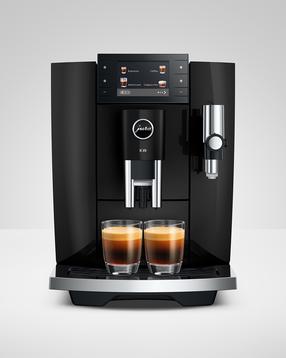
Automātiskais kafijas automāts JURA E8 PIANO BLACK (ED), melna krās.
1 139,00 €
Parastā cena
1 369,00 €

TOP prece
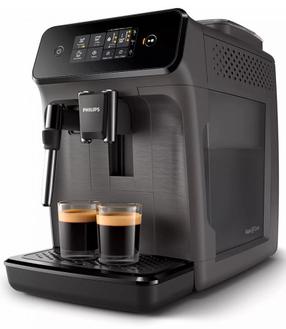
Automātiskais kafijas automāts Philips Series 1200 EP1224/00, pelēka krās.
287,16 €
Parastā cena
299,90 €
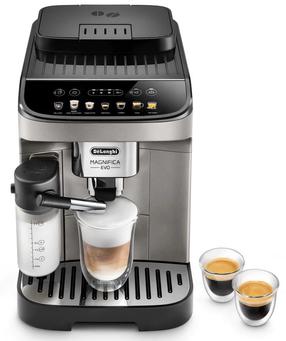
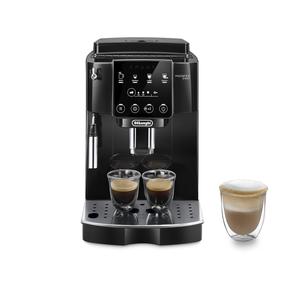
Automātiskais kafijas automāts DeLonghi Magnifica Evo ECAM290.81.TB, melns krās.
465,92 €
Parastā cena
519,00 €
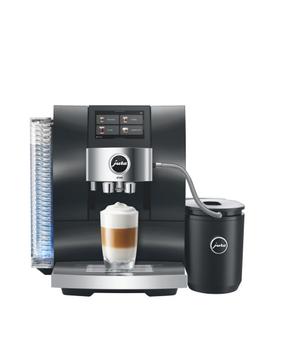
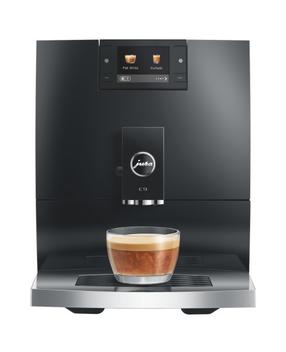
TOP prece
TOP prece
TOP prece