Preces informācija
Kopējie parametri
Produkta veids
Zīmols
Sērija
Modelis
3558 VAN15BDW1603_012_Win PL
Datora tips
Korpusa krāsa
Svars
2.24 kg
Garums
260 mm
Platums
380 mm
Augstums
23 mm
Ekrāns
Ekrāna izmērs pa diagonāli
15.6 "
Ekrāna virsmas tips
IPS ekrāns
Nē
Skārienjūtīgais ekrāns
Nē
Ekrāna izšķirtspēja
1366 x 768
Ekrāna tips
TN
Operētājsistēma
Operētājsistēma
Operētājsistēmas valoda
Poļu
Atbalstītās operētājsistēmas
Windows 7, Windows 8.1
Procesors
Procesora klase
Procesora paaudze
Haswell (Intel)
Procesora tips
Intel
Procesora modelis
2
Procesora kodoli
2
Procesora frekvence
1.7 GHz
Kešatmiņa
3 MB
Operatīvā atmiņa
Operatīvās atmiņas tips
DDR3
Operatīvā atmiņa (RAM)
Maksimālais operatīvās atmiņas daudzums (RAM)
16 GB
Brīvo operatīvās atmiņas ligzdu daudzums
1
Operatīvās atmiņas taktiskais biežums
1600 MHz
Cietais disks
Multivides tips
HDD
Cietā diska ietilpība (HDD)
1 TB
SSD/eMMC diska ietilpība
Kopējā datora atmiņas ietilpība
1 TB
Video karte
Integrēta video karte
Video kartes tips
Intel
Video karšu sērija
HD
Video kartes modelis
VR (Virtual reality) ready
Nē
nVidia G-Sync
Nē
AMD FreeSync
Nē
Fiziskie savienojumi un vadība
Savienojumi
2 x USB 2.0, Audio jack, Bluetooth, D-Sub, USB 3.0
Tīkla karte
802.11ac (gen 5)
Skārienjosla ("Touch Bar")
Nē
Iebūvētas papildus ierīces
Diskdzinis
Nē
Ar video kameru
Jā
Iebūvēts mikrofons
Jā
Iebūvēts karšu lasītājs
Jā
Skaņas sistēma
Stereo
Klaviatūra un korpuss
Korpusa materiāls
Metāls, Plastmasa
Tastatūras valoda
Atsevišķs ciparu bloks
Mehāniskie taustiņi
Nē
Mitrumdroša klaviatūra
Nē
Baterija un drošība
Akumulatora garantija
12 mēn
Integrēts akumulators
Jā
Pirkstu nospiedumu lasītājs
Nē
Papildus
4G savienojums
Nē
Obligātā garantija
24 mēn
Vai pamanīji kļūdu preces aprakstā, specifikāciju tabulā vai fotoattēlu galerijā? Ziņo mums
Preces krāsa var atšķirties no fotoattēlā redzamās.
The Intel Core i3 series of processors are budget processors that, thanks to the use of two or four cores / threads, are perfect for everyday tasks. Standard for most new i3 units is turbo boost support and L3 cache. Intel Core i3 processors can be an excellent choice for everyday work and entertainment.
Work comfortably, and in your free time indulge in entertainment at the highest level. Intel integrated graphics are designed for the comfort of everyday computer use. Advanced technologies, high work culture and energy efficiency are the main advantages of the Intel GPU. Launch office applications, chat and video conferencing, record webinars, play games and stream video, all without stuttering or disconcerting lag. Incredibly clear picture, smooth operation of movies and sound of the home theater standard will allow you to relax after a hard day by organizing a joint screening with your closest friends.
Fast and reliable operation in games, programs and applications is possible thanks to DDR3 RAM. This is an absolute standard that works great in business, multimedia and gaming laptops.
The hard drive is the storage (permanent) memory of your laptop. It is on it that all files necessary for the proper functioning of the system, installed programs and games as well as films, photos and music are saved. Capacious and reliable HDD hard drive is a great solution if you value proven and economical solutions. At a good price, you can enjoy a large disk capacity and easily collect your favorite collections of movies, music or photos on it. The HDD is the absolute standard that works in most situations. The HDD stores data on magnetic platters spinning at 5,400 or 7,200 revolutions per minute. It offers the lowest price per gigabyte of capacity, but is louder and more prone to failure than an SSD.
Drive capacity is listed in gigabytes (GB) or terabytes (TB). 1024GB = 1TB. Due to the different way in which units are converted by hardware manufacturers, the nominal capacity of the drive differs from the actual capacity. The table below presents indicative data on the nominal and real capacity as well as the amount of data that can be stored on a disk of a given capacity.
Multimedia on the mobile device can also be displayed in high quality. Thanks to the HD resolution, you gain the ability to watch movies, play games and view photos in very good quality. This is the optimal solution for business and universal laptops.
An energy-saving matrix that will provide you with both good color reproduction and appropriate viewing angles. Fast response, clear brightness and perfect whiteness are other advantages of screens using this technology. TFT works well in business and multimedia laptops.
Glare and reflections on the screen can be very annoying. In the case of devices used for work, it is worth focusing on a matte coating. This solution allows you to see exactly what should be displayed on the screen, not reflections of light and eye-tiring reflections. Matte coating is standard in business devices, but it will also work well for individual users.
The right screen diagonal is a key issue for the convenience of using the device. The mobility of the device and the comfort of its use depend on it. This value is expressed in inches (1 inch is 2.54 cm).
You may need a D-Sub port to connect an external monitor or projector. This is an analog video solution that will work especially well when you want to connect a monitor or other older generation devices that do not support a digital interface to your laptop.
The modern and reliable Bluetooth interface is a guarantee of smooth wireless communication and comfortable data transfer. Thanks to this solution, you can connect your mobile devices, copy files, send information, all with low energy consumption and without unnecessary battery load.
The Wi-Fi network card allows you to connect to the Internet wirelessly. You can use the network provided by your home router or free Wi-Fi hot spots. Free Wi-Fi networks are available in public places, such as stations, airports, shopping malls and cafes. This standard currently exists in several versions.
Outstanding functionality and perfect design. The island keyboard is an extremely elegant solution that makes typing and using the laptop easier and makes cleaning the space between the keys a breeze. The individual keys are offset from each other, and the space between them is filled with an ergonomically designed rim.
The numeric keypad on a laptop makes everyday typing, form filling, gaming and multimedia much easier. If you value comfort above all, this will be a good choice. A full-size keyboard with a numeric section will work in business and individual use.
Playing music, movies and games will be ensured by a functional and quiet DVD drive that fits perfectly into the slim casing of the device. The drive is useful in many situations - if you happen to use CDs and DVDs regularly, choose a device that has the option to play them.
The fast and reliable USB 3.0 interface provides up to ten times faster data copying than with a regular USB port. Copying large files, photos, videos and documents will be done in no time. USB 3.0 also guarantees reliable communication with peripherals and pointing devices.
In the device you will find a fast, efficient and reliable Windows 7 operating system. If you are tired of outdated Windows XP and Vista, Windows 7 will be a great solution. It is a system designed for demanding users who value multitasking, smooth operation and energy saving. Thanks to the fast sleep and fast wake function, working on a laptop with Windows 7 will be much more pleasant.
The comfortable Windows 8.1 operating system offers users a modern Modern UI interface. Access to many applications and the ability to split the screen are additional amenities that improve everyday use of the computer. Quick access to new applications and programs is possible thanks to the Windows Store. The Windows 8.1 operating system boots instantly, and standard applications stand out with their extensive functionality. If you want to be up to date with information from the world, social networking sites or the stock market, all you need to do is make sure you have an Internet connection - all programs and applications visible on the start screen update their data on an ongoing basis.
Bieži pirkts kopā
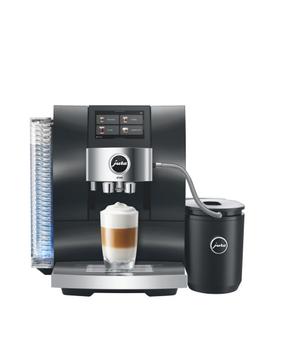
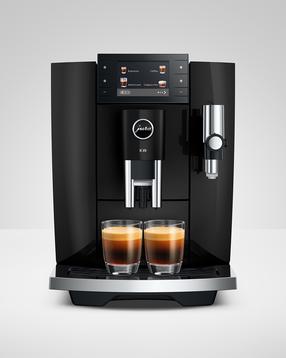
Automātiskais kafijas automāts JURA E8 PIANO BLACK (ED), melna krās.
Parastā cena
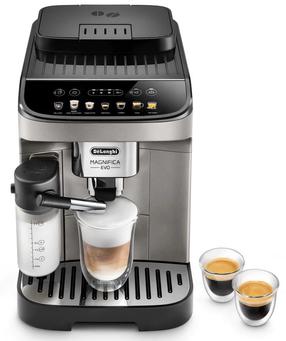
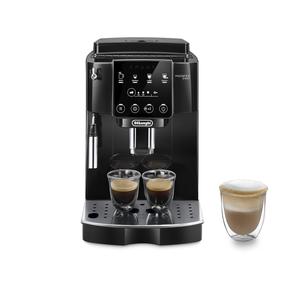
Automātiskais kafijas automāts DeLonghi Magnifica Evo ECAM290.81.TB, melns krās.
Parastā cena

TOP prece
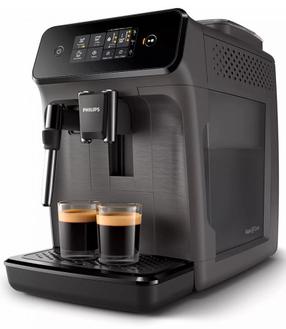
Automātiskais kafijas automāts Philips Series 1200 EP1224/00, pelēka krās.
Parastā cena
TOP prece
TOP prece