Preces informācija
Kopējie parametri
Produkta veids
Zīmols
Sērija
Datora tips
Korpusa krāsa
Svars
2 kg
Garums
376.5 mm
Platums
254.5 mm
Augstums
22.95 mm
Ekrāns
Ekrāna izmērs pa diagonāli
15.6 "
Ekrāna virsmas tips
IPS ekrāns
Jā
Iebūvēts privātuma filtrs
Nē
Operētājsistēma
Operētājsistēma
Procesors
Procesora klase
Procesora paaudze
Kaby Lake R (Intel)
Procesora tips
Intel
Procesora modelis
Intel® Core™ i5-8250U
Procesora kodoli
4
Procesora frekvence
1.6 GHz
Kešatmiņa
6 MB
Mātesplates modelis
Intel Express
Operatīvā atmiņa
Operatīvās atmiņas tips
DDR4
Operatīvā atmiņa (RAM)
Maksimālais operatīvās atmiņas daudzums (RAM)
32 GB
Operatīvās atmiņas taktiskais biežums
2400 MHz
Cietais disks
Multivides tips
SSD
Cietā diska ietilpība (HDD)
-
SSD/eMMC diska ietilpība
Kopējā datora atmiņas ietilpība
256 GB
Video karte
Integrēta video karte
Video kartes tips
Intel
Video karšu sērija
HD
Video kartes modelis
Video kartes atmiņa
Dynamic
VR (Virtual reality) ready
Nē
nVidia G-Sync
Nē
AMD FreeSync
Nē
Fiziskie savienojumi un vadība
Savienojumi
Bluetooth 4.2, Combo audio jack, MHL, RJ-45, USB, USB 3.0, USB Type C, Wi-Fi
Tīkla karte
Jā (Gigabit Ethernet)
Iebūvētas papildus ierīces
Diskdzinis
Nē
Skaņas kartes modelis
Stereo
Ar video kameru
Jā
Iebūvēts mikrofons
Jā
Iebūvēts karšu lasītājs
Jā
Atbalstītās atmiņas kartes
MMC, SD, SDHC, SDXC
Klaviatūra un korpuss
Korpusa materiāls
Plastmasa
Tastatūras valoda
Tastatūras apgaismojums
Atsevišķs ciparu bloks
Mehāniskie taustiņi
Nē
Mitrumdroša klaviatūra
Nē
Baterija un drošība
Akumulatora tehnoloģija
LiPo
Akumulatora jauda
3 mAh
Akumulatora darbības ilgums līdz
11 h
Drošības sistēma
Intel® vPro™. Trusted Platform Module (dTPM) 2.0. Smart Card reader. Fast Identity Online (FIDO) autentifikācijas iespēja. Touch Type pirkstu nospiedumu nolasītājs. Sejas atpazīšana ar infrasarkano kameru
Papildus
Obligātā garantija
24 mēn
Papildus informācija
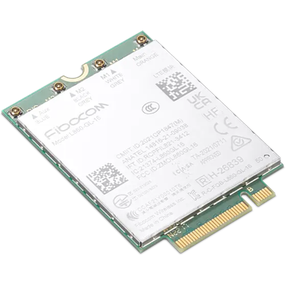
PCIe-NVMe SSD (OPAL 2.0). Fibocom L830-EB WWAN (LTE)
Vai pamanīji kļūdu preces aprakstā, specifikāciju tabulā vai fotoattēlu galerijā? Ziņo mums
Preces krāsa var atšķirties no fotoattēlā redzamās.
The appropriate screen diagonal is a key issue for the comfort of using the device. The mobility of the device and the comfort of its use depend on it. This value is expressed in inches (1 inch is 2.54 cm).
Enjoy your media in high resolution! The Full HD screen will provide you with the highest level of entertainment. Watching movies on your laptop, playing games and viewing photos will become even more enjoyable. Juicy colors and incredibly realistic details will be much more visible in this resolution.
Glare and reflections on the screen can be very bothersome. In the case of devices used for work, it is worth choosing a matte coating. This solution means that you can see exactly what should be displayed on the screen, instead of light reflections and eye-straining reflections. Matte coating is standard for business devices, but it will also work for individual users.
Are you fed up with faded colors and poor contrast? A laptop with an IPS matrix is a solution for every budget, which also provides an extraordinary aesthetic experience when using multimedia. The screen using this technology is distinguished by wide viewing angles, very good color reproduction and expressive contrast.
The notebook does not have an optical drive. It is possible to purchase an external drive connected to the notebook via the USB interface.
Thanks to the HDMI connector, you can connect a TV or an additional monitor to the device. Viewing photos and media on the big screen will be even more exciting. Digital transmission via the HDMI connector guarantees data transmission in the highest quality, without interference and delays.
The fast and reliable USB 3.0 interface provides up to ten times faster data copying than a regular USB port. Copying large files, photos, videos and documents will be lightning fast. USB 3.0 also guarantees reliable communication with peripheral and pointing devices.
New connector guaranteeing express data transfer - up to 5 Gbit/s. Thanks to this, copying videos and large files takes literally a few seconds. USB Type C facilitates the transfer of data to external drives and devices, and you can also connect a printer or scanner to it. This connector will eliminate the problem of connecting cables once and for all - the plug is double-sided, so you can connect it in any way.
Instead of connecting a mouse to your laptop, you can use a convenient pointing device called a trackpoint. It is a small button located on the keyboard that acts as a joystick and is usually finished with an anti-slip rubber cover. Trackpoint will definitely facilitate navigation in the system, when operating programs or browsing websites.
Comfortable work regardless of access to lighting. The backlit keyboard means that even in a dark room you do not have to reach for an additional light source - individual keys are perfectly visible. This will make working late or playing a long game much more comfortable.
Using the laptop will be even more convenient and intuitive, all thanks to the comfortable and legible keyboard. The device is equipped with stickers for the keyboard. Type without errors on the Polish-language keyboard, which will be a comfortable solution for both occasional and very intensive use.
Unlocking your laptop doesn't have to involve entering passwords or codes. More and more devices have advanced biometric readers, especially fingerprint readers. It is a small button that you just need to touch with your finger to turn on and unlock the device. The fingerprint reader is very convenient to use and is a good alternative to traditional methods of unlocking the device.
Secure your data with TPM (Trusted Platform Module) encryption. This is one of the simplest, but also extremely effective methods of protecting the contents of disks. A laptop equipped with a TPM module creates encryption keys that can only be decrypted using the same module. This type of security is often used for business and home laptops.
Take advantage of a fast Internet connection thanks to a 1 Gb/s network card - such bandwidth is offered, for example, by local networks. The final data transmission speed will depend on the network parameters, but the maximum will be 1 Gb/s. Many laptops in various price ranges are equipped with network cards with these parameters. This is a good solution that will create additional opportunities to connect to the network.
A Wi-Fi network card allows you to connect to the Internet wirelessly. You can use the network provided by your home router or free Wi-Fi hot spots. Free Wi-Fi networks are available in many public places, such as stations, airports, shopping malls and cafes. This standard currently exists in several versions.
Bieži pirkts kopā
Parastā cena