Preces informācija
Bieži pirkts kopā
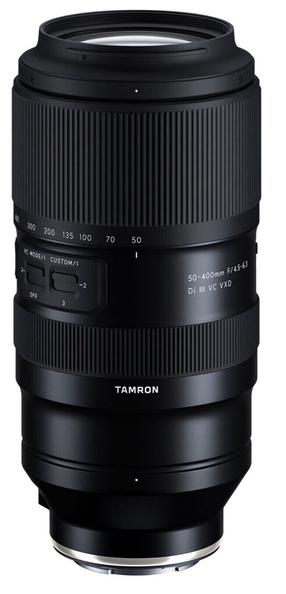
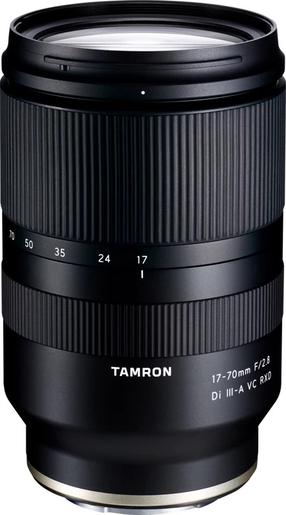

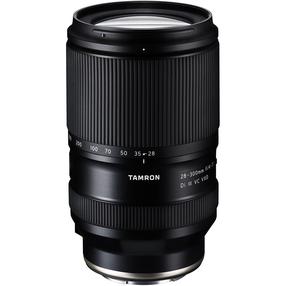
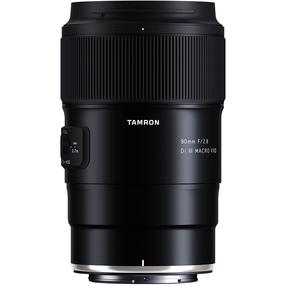
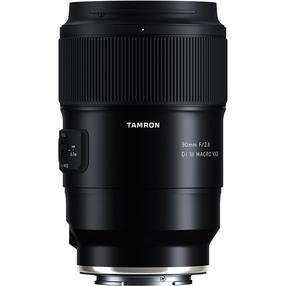

Produkta veids
Zīmols
Modelis
TAP-in Consol Nikon
Obligātā garantija
24 mēn
Papildus informācija
Interfeiss (objektīviem): Nikon
Vai pamanīji kļūdu preces aprakstā, specifikāciju tabulā vai fotoattēlu galerijā? Ziņo mums
Preces krāsa var atšķirties no fotoattēlā redzamās.
Piedāvājumi

Sadzīves tehnika

Virtuvei - mazā sadzīves tehnika
Vafeļu pannas
Multivārāmie katli un piederumi
Pankūku pannas
Tvaika katli
Sviestmaižu tosteri
Blenderi
Elektriskās tējkannas
Tosteri
Sulu spiedes
Virtuves kombaini
Mikroviļņu krāsnis
Elektriskie galda grili
Aerogrili, karstā gaisa friteri, taukvāres katli
Mini cepeškrāsnis
Virtuves svari
Maizes krāsnis
Dārzeņu smalcinātāji, elektriskās rīves un naži
Mikseri, putotāji
Augļu žāvētāji un dehidratori
Gaļas maļamās mašīnas
Mini plītis
Smalcinātāji
Cita virtuves tehnika un piederumi

Skaistumkopšanas un ķermeņa kopšanas ierīces
Elektrisko skuvekļu piederumi
Irigatori
Sejas kopšana
Bārdas trimmeri, elektriskie skuvekļi
Masāžas ierīces, masažieri
Ķermeņa kopšanas ierīces
Matu kopšana
Elektriskās zobu birstes un piederumi
Ķermeņa svari
Asinsspiediena mērītāji un piederumi
Inhalatori
Apsildāmās segas un citi ķermeņa sildītāji
Glikometri
Pulsa oksimetri
Ķermeņa termometri
Gaismas terapijas lampas

Klimata kontroles tehnika

Kafijas aparāti, kafija, piederumi

Iebūvējamā sadzīves tehnika
Iebūvējamās cepeškrāsnis
Iebūvējamās plīts virsmas
Iebūvējamās trauku mazgājamās mašīnas
Iebūvējamie ledusskapji un saldēšanas iekārtas
Iebūvējamie tvaika nosūcēji
Iebūvējamās veļas mašīnas
Iebūvējamās mikroviļņu krāsnis
Iebūvējamie kafijas automāti
Teleskopiskās sliedes krāsnīm
Pārtikas atkritumu smalcinātāji

Lielā sadzīves tehnika

Mājai - mazā sadzīves tehnika

Interjers, mēbeles un tekstils

Vannas istabas piederumi
Glāzes un turētāji
Šķidro ziepju dozatori
Zobu birstes turētāji
Ziepju trauki
Papīra dvieļu turētāji
Roku balsti, dušas un vannas sēdekļi
Roku žāvētāji
Tualetes papīra turētāji
Tualetes poda birstes
Vannas istabas āķi
Vannas istabas plaukti
Vannas istabas atkritumu tvertnes
Veļas grozi
Vannas istabas dvieļu turētāji
Dvieļu žāvētāji
Vannas istabas paplātes
Vannas un dušas aizkari

Interjera piederumi

Mēbeļu furnitūra

Mājas tekstils

Mēbeles

Paklāji un kažokādas

Aizkari, žalūzijas, priekškari

Ziemassvētku rotājumi un dekorācijas

Aizkaru stangas, sliedes un karnīzes

TV, audio, video, spēļu konsoles

Spēļu konsoles un datorspēļu piederumi
Spēļu konsoles
Spēļu kontrolieri
Datorspēles - video spēles
VR brilles
Spēļu konsoles piederumi
Peles datorspēlēm
Klaviatūras datorspēlēm
Spēļu stūres un sacīkšu simulatori
Gaming krēsli
Spēļu austiņas
Datorspēļu apģērbs un suvenīri
Portatīvie datori spēlēm
Stacionārie datori spēlēm
Monitori spēlēm
Uzlādes stacijas, lādētāji, adapteri
Datora peļu paliktņi spēlēm
Aizsargājoši grīdas paklāji

Audio aparatūra

Foto tehnika un optika

Televizori un piederumi

Rotaļlietas, preces bērniem

LEGO®
LEGO® Education
LEGO® City
LEGO® Classic
LEGO® Creator
LEGO® Disney Princess
LEGO® Duplo
LEGO® Friends
LEGO® Mindstorms
LEGO® Ninjago
LEGO® Star Wars
LEGO® Super Heroes
LEGO® Technic
LEGO® Super Mario
LEGO® Minecraft
LEGO® Architecture
LEGO® Harry Potter
LEGO® Jurassic World
LEGO® Ideas
LEGO® Speed Champions
LEGO® pieaugušajiem
LEGO® Super Heroes DC
LEGO® Super Heroes Marvel
1,5 - 4 gadus veciem bērniem
4-6 gadus veciem bērniem
6-9 gadus veciem bērniem
9 -12 gadus veciem bērniem
12+ gadus veciem bērniem
LEGO® Frozen
LEGO® Batman
LEGO® Disney
LEGO® Avatar
LEGO® Art
LEGO® Icons
LEGO® DREAMZzz

Rotaļlietas bērniem
Rotaļu figūriņas, supervaroņi
Rotaļu kluči
Konstruktori
Teltis bērniem
Radošās rotaļlietas
Muzikālās rotaļlietas, mūzikas instrumenti bērniem
Mīkstās rotaļlietas
Rotaļlietas zēniem
Rotaļlietas mazuļiem
Rotaļlietas meitenēm
Rotaļlietu kastes un somas
Izglītojošas rotaļlietas
Lomu spēles
Mehāniskās rotaļlietas
Radiovadāmās rotaļlietas
Rotaļu ieroči un piederumi
Rotaļu transportlīdzekļi un trases
Interaktīvās rotaļlietas
Roboti un transformeri
Koka rotaļlietas
Ūdens rotaļlietas
Puzles
Galda spēles
Lelles, leļļu mājas
Skaistumkopšanas rotaļlietas

Preces bērniem un zīdaiņiem
Mīļlupatiņas
Piederumi auto sēdekļiem
Bērnu šūpuļkrēsliņi
Preces bērnu drošībai
Autiņbiksītes un mitrās salvetes
Bērnu podiņi, tualetes sēdekļi un pakāpieni
Ķengursomas
Knupīši un zīdaiņu pudelītes
Mazgāšanai un kopšanai
Miegam
Bērnu uzraudzības ierīces
Aktivitāšu paklāji un centri
Barošanas krēsli
Bērnu ratiņi
Trokšņu slāpējošās austiņas bērniem
Pārtinamās virsmas
Staigulīši bērniem
Automašīnu bērnu sēdeklīši
Trauki un piederumi barošanai

Kancelejas preces skolai
Mugursomas, skolas somas
Sporta somas, maisiņi
Mapes, vāciņi un dokumentu sakārtotāji
Dokumentu un zīmuļu kastes
Dzēšgumijas un zīmuļu asinātāji
Līmes
Klades un burtnīcas
Zīmuļi, flomāsteri un marķieri
Mākslas piederumi
Zīmēšanas krītiņi
Plastilīns, veidošanas piederumi
Penāļi
Kartes, pastkartes un kalendāri
Rakstāmpiederumi
Lineāli un transportieri
Cirkuļi

Āra rotaļlietas, rotaļu laukumi
Bērnu sporta rotaļlietas un spēles
Ziepju burbuļi un burbuļu mašīnas
Skrejmašīnas bērniem, auto ar pedāļiem, velokarti
Ziemas rotaļlietas un ragavas bērniem
Gaisa pūķi
Elektriskie auto un moto
Bumerangi, lidojošie šķīvīši
Smilšu kastes rotaļlietas
Bērnu skrejriteņi
Smilšu kastes
Šūpoles bērniem
Ūdens rotaļlietas
Vējdzirnavas, tauriņu ķeramie
Bērnu mājiņas
Bērnu slidkalniņi un rotaļu laukumi

Barošanai un preces māmiņām

Mugursomas, sporta somas, maki

Piederumi bērnu ballītei

Bērnu apģērbs, apavi un aksesuāri

Spēļu galdi

Galda spēles

Puzles

Adventes kalendāri bērniem

Auto un moto preces

Auto aksesuāri un piederumi
Auto invertori un elektriskie piederumi
Degvielas tvertnes, piltuves
Degvielas šļūtenes un piederumi
Auto antenas
Ātrumpārslēga uzgaļi
Auto stiklu tonēšanas plēves
Auto un citi pārsegi
Auto numuru turētāji
Auto telefonu turētāji
Auto sēdekļu pārvalki
Auto ledusskapji
Stūres pārvalki
Citi auto aksesuāri un piederumi

Eļļas un smērvielas

Auto tīrīšanas līdzekļi

Auto kopšanas līdzekļi

Drošības aprīkojums

Auto audio, video aparatūra

Riepas

Transportēšanas, celšanas iekārtas

Moto ekipējums

Auto spuldzes

Auto pulēšanas līdzekļi

Akumulatori, akumulatoru lādētāji

Disku uzlikas, riepu ķēdes

Auto paklāji

Logu šķidrumi

Kompresori, pumpji, gaisa spiediena mērītāji

Elektroauto uzlādes stacijas, kabeļi un to piederumi

Auto starteri, kabeļi, spailes

Augstspiediena mazgātāji un piederumi

Auto ķīmija

Auto gaisa atsvaidzinātāji, auto smaržas

Aptieciņas

Alkometri

Logu slotiņas

Antifrīzi, dzesēšanas šķidrums

Automašīnu bērnu sēdeklīši

Auto instrumenti

Parkošanās sistēmas

Instrumenti

Elektroinstrumenti un piederumi
Elektriskie urbšanas instrumenti un piederumi
Elektriskās slīpmašīnas un piederumi
Elektriskie griezējinstrumenti un piederumi
Lodēšanas instrumenti un materiāli
Elektriskās frēzes un piederumi
Elektriskie ēvelēšanas instrumenti un piederumi
Elektriskie perforatori un triecienurbjmašīnas
Elektriskie būvniecības fēni
Asināšanas darbgaldi
Elektriskie gravēšanas instrumenti un piederumi
Elektriskie krāsošanas instrumenti un piederumi
Elektriskie multi instrumenti un piederumi
Elektriskie pulēšanas instrumenti un piederumi
Līmes pistoles un piederumi
Flīžu griešanas galdi
Elektrisko instrumentu piederumi un rezerves daļas
Elektriskie skavošanas instrumenti un piederumi
Elektriskie celtniecības mikseri un piederumi

Rokas instrumenti un piederumi
Fiksēšanas, kniedēšanas instrumenti
Skrūvēšanas instrumenti
Griezējinstrumenti
Naglu dzīšanas, skavošanas instrumenti
Mērinstrumenti un ierīces
Slīpēšanas instrumenti
Knaibles un to komplekti
Rokas instrumentu komplekti
Ēveles, īleni, pincetes
Instrumenti caurulēm, skrūvspīles, knaibles
Darba galdi
Urbšanas uzgaļi

Akumulatora instrumenti un piederumi

Metināšanas iekārtas, materiāli un piederumi

Instrumentu kastes, futrāļi, siksnas

Krāsošanas un apdares instrumenti, piederumi

Pneimatiskie instrumenti, iekārtas un piederumi

Kāpnes un celšanas ierīces

Betona maisītāji, blietēšanas mašīnas

Abrazīvie materiāli

Kravas transportēšana

Celtniecības putekļu sūcēji un to piederumi

Augstspiediena mazgātāji un piederumi

Akumulatoru un elektrisko instrumentu piederumi

Ģeneratori

Zoo preces

Telefoni, viedpulksteņi, Apple preces

Mobilie telefoni

Apple veikals

Mobilo telefonu aksesuāri
Telefonu vāciņi, maciņi
Telefonu aizsargstikli un aizsargplēves
Atmiņas kartes telefoniem
Brīvroku sistēmas
Telefonu lādētāji, adapteri, vadi
Lādētāji - akumulatori (Power Banks)
Telefonu baterijas, akumulatori
Auto telefona turētāji
Rezerves daļas mobilajiem telefoniem
Citi mobilo telefonu aksesuāri
Telefonu turētāji un statīvi

Planšetdatori, e-lasītāji un aksesuāri

Viedpulksteņi un fitnesa aproces

Stacionārie telefoni

Rācijas

Viedie gredzeni

Dāvanas, svētku atribūti

Santehnika un apkure

Apkures ierīces, kurināmais, sildītāji
Malkas krāsnis, čuguna krāsniņas
Grīdas apsildes sistēmas
Dūmvadi, skursteņi un to detaļas
Saunas un pirts aprīkojums
Izplešanās trauki
Apkures katli un piederumi
Boileri, caurplūdes ūdens sildītāji to piederumi
Radiatori un to detaļas
Gāzes gaisa sildītāji, piederumi
Kamīni un to detaļas
Malka, granulas, briketes

Ūdens sūkņi un hidrofori

Ūdens maisītāji, jaucējkrāni un piederumi

Kanalizācija, notekūdeņu un drenāžas sistēmas

Ūdens apgādes sistēmas

Duškabīnes un piederumi

Ventilācijas sistēmas

Vannas un piederumi

Vannas istabas izlietnes un piederumi

Tualetes podi, bidē, pisuāri un to piederumi

Ūdens filtrācijas sistēmas

Santehnikas savienojumi, ventiļi

Virtuves izlietnes un piederumi

Dvieļu un roku žāvētāji

Ūdens skaitītāji

Apgaismojums

Datortehnika, preces birojam

Biroja piederumi un kancelejas preces
Kalkulatori
Seifi
Naudas kastes
Tīrīšanas līdzekļi datortehnikai
Līmlapiņas, piezīmju lapiņas
Rokas balsti
Tāfeles un piederumi
Paliktņi kājām
Kancelejas preces
Klades, burtnīcas un bloknoti
Cirkuļi
Papīrs, biroja papīrs
Plānotāji
Korekcijas līdzekļi
Dokumentu vāki un mapes
Pildspalvas un tinte
Marķieri
Lineāli un transportieri
Šķēres
Līme
Karogi un karogu turētāji
Akrila filcs
Kancelejas preču turētāji
Dokumentu organizatori
Zīmuļi

Gaming ekipējums

Printeri

Perifērijas ierīces un piederumi

Datora komponentes, tīkla produkti

Portatīvie datori un citas preces

Stacionārie datori, monitori, UPS

Printeru toneri, kasetnes un citi izejmateriāli

Iesiešanas, laminēšanas iekārtas

Planšetdatori, e-lasītāji un aksesuāri

Projektori un piederumi prezentācijām

Programmatūras

Valūtas detektori un naudas skaitītāji

Adapteri, kabeļi un vadi

Skeneri

Laminatori

VR brilles

Spēļu konsoles un datorspēļu piederumi

Saimniecības preces

Virtuves piederumi
Virtuves aksesuāri, tekstils
Pārtikas termometri
Dzeramā ūdens filtri un kasetnes
Pannas un piederumi
Cepamais papīrs, folija, plēve
Piederumi vakuuma iepakošanas iekārtām
Katli un vāki
Naži, virtuves šķēres un dēlīši
Galda servēšanas trauki un piederumi
Ēdiena gatavošanas trauki un piederumi
Uzglabāšanas trauki un konteineri

Sadzīves ķīmija

Restorāniem un bāriem

Mājas uzkopšanas piederumi

Šķiltavas, degļi, sērkociņi

Mājas aromatizētāji, gaisa atsvaidzinātāji

Smaržas, kosmētika, higiēna un aksesuāri

Dekoratīvā kosmētika
Lūpu kosmētika un kopšanas līdzekļi
Kosmētika acīm
Līdzekļi nagiem
Vaigu sārtumi
Kosmētikas otas, sūkļi un piederumi
Pūderi
Dekoratīvās kosmētikas komplekti
Maskējošie līdzekļi
Konsīleri, korektori
Praimeri, grima bāzes
Grima fiksatori
Kosmētikas somiņas un koferi
Līdzekļi konturēšanai
Kosmētikas piederumi
Kosmētikas spoguļi

Smaržas

Personīgajai higiēnai

Kosmētika sejai

Matu kopšanai

Kosmētika vīriešiem

Kosmētika ķermenim

Manikīram un pedikīram

Bērnu kosmētika

Korejas kosmētika

Apdares materiāli

Līmes, virsmas sagatavošanas materiāli
Tapešu līmes
Grīdas un sienu segumu līmes
Montāžas un konstrukcijas līmes
PVA līmes
Speciālās līmes
Būvniecības līmes
Krāsotāju līmlentes un plēves
Citas līmlentes
Dekoratīvais apmetums
Flīžu līmes
Korķa segumu līmes
Griestu segumu līmes
Momentlīmes
Virsmu kopšanas līdzekļi
Virsmu tīrīšanas līdzekļi
Celtniecības tīrīšanas līdzekļi, impregnanti

Grīdas segumi un grīdas dēļi

Tapetes un piederumi

Flīzes

Lakas

Krāsas, krāsu piedevas

Apdares dēļi, plāksnes

Līstes, savienojumi, leņķi

Špakteles, gruntis

Griesti

Impregnēšanas līdzekļi, antiseptiķi kokam

Būvmateriāli

Siltumizolācijas materiāli

Elektrība un elektroinstalācijas
Elektriskās izolācijas caurules
Elektrības vadi un kabeļi
Elektrības slēdži un kontaktligzdas
Kustības un krēslas sensori
Vadības un kontroles iekārtas
Sensori un dūmu detektori
Pagarinātāji, to daļas un sadalītāji
Instalācijas caurules, kārbas, kabeļu kanāli u.c.
Transformatori
Baterijas un bateriju lādētāji
Elektriskās indikācijas ierīces un testeri
Saules paneļi un piederumi
Elektriskās izolācijas lentas
Revīzijas lūkas un durvis

Jumta segumi

Celtniecības maisījumi

Stiprinājumi

Slēdzenes un to detaļas

Metāla izstrādājumi, plastmasas izstrādājumi, caurules

Celtniecības plāksnes

Ķieģeļi, bruģakmens, celtniecības bloki u.c.

Durvis, vērtnes un kārbas

Kokmateriāli

Hermētiķi, montāžas putas, silikoni

Celtniecības plēves, audumi, sieti

Hidroizolācijas materiāli

Līmes

Darba apģērbs un darba drošības preces

Logi, jumta logi, logu furnitūra

Kāpnes un piederumi

Reģipsis, profili un piederumi

Preces dārzam

Dārza instrumenti
Izkapts, sirpji un dārza naži
Cirvji un to piederumi
Grābekļi
Āra slotas un birstes
Mazie dārza instrumenti
Instrumentu kāti
Sniega tīrīšanas instrumenti
Kāpnes un sastatnes
Ķerras un to piederumi
Dārza šķēres
Bērnu dārza instrumenti
Zemes urbji, izliedētāji un arkli
Lāpstas
Lāpstas-liekšķeres
Augļu noņēmēji
Dakšas

Dārza mēbeles

Dārza tehnika
Zaru smalcinātāji
Motorzāģi un to piederumi
Lapu savācēji
Malkas skaldītāji
Lapu pūtēji, sūcēji un to piederumi
Zāles pļāvēji un to piederumi
Aeratori un skarifikatori
Trimmeri, krūmgrieži un piederumi
Dzīvžogu šķēres, krūmgrieži un to piederumi
Eļļas un smērvielas dārza tehnikai
Kultivatori, zemes frēzes un to piederumi
Zāles pļāvēji traktori un to piederumi

Dārza laistīšana

Dārza piederumi

Sētas, žogi, vārti

Kūdra, mēslojums, sēklas

Puķu podi un floristikas preces

Augu aizsardzības līdzekļi

Dārzkopība mājās

Siltumnīcas un to piederumi

Augstspiediena mazgātāji un piederumi

Ķerras un to piederumi

Dekoratīvie akmeņi un mulča

Noliktavu plaukti

Dārza šķūnīši

Sports, brīvais laiks, tūrisms

Sporta preces un piederumi
Alpīnisma inventārs
Cīņas māksla
Bumbu pumpji un adatas
Florbols
Futbols
Nūjošanas nūjas un piederumi
Biljards
Beisbols
Badmintons
Basketbols
Āra un sporta spēles
Sporta pudeles, ūdens pudeles
Skvošs
Šautriņas
Sporta apģērbs
Galda teniss
Teniss
Volejbols
Soļu skaitītāji, hronometri
Rokas bumba, handbols
Citi sporta piederumi
Padel teniss
Disku golfs
Uztura bagātinātāji
Novuss
Loku šaušana

Tūrisma preces, makšķerēšana
Tūrisma plītis un piederumi
Citas tūrisma preces un piederumi
Makšķerēšanas preces
Katli, galda piederumi
Piepūšamie tūrisma matrači un spilveni
Mobilās biotualetes un kopšanas līdzekļi
Moskītu tīkli
Tūrisma paklāji
Piknika segas
Ceļojumu aukstumsomas
Kompasi
Lāpas, eļļas lampas, petroleja
Ceļojumu somas, mugursomas, koferi
Tūrisma naži, multifunkcionāli instrumenti
Guļammaisi
Teltis, nojumes un piederumi
Pludmales saulessargi un piederumi
Tūrisma mēbeles
GPS un navigācijas ierīces
Tūrisma ūdens filtri
Tūrisma higiēnas piederumi
Teleskopi
Binokļi
Monokļi

Preces vingrošanai, jogai, pilatēm
Dažādas vingrošanas preces
Vingrošanas un masāžas riņķi
Vingrošanas bumbas
Jogas, vingrošanas paklāji
Rāpšanās virves, vingrošanas sienas
TRX, piekares treniņu sistēmas
Pievilkšanās stieņi
Lecamauklas
Pildbumbas
Fitnesa un pretestības gumijas
Masāžas bumbas
Masāžas rullīši un veltnīši
Espanderi
Jogas bloki
Konusi, barjeras, ātruma kāpnes
Balansa spilveni
Balansa dēļi

Velosipēdi un piederumi

Trenažieri, svari un fitnesa preces

Peldēšana, niršana

Grili, kūpinātavas un piederumi

Ziemas sporta preces

Baseini un piederumi

Piepūšamās atrakcijas, matrači, peldriņķi

Veselības, rehabilitācijas un aprūpes produkti

Elektriskie motorolleri, motocikli, kvadracikli

Laivas, SUP dēļi un piederumi

Skrejriteņi, skrituļdēļi, skrituļslidas un citi

Batuti un piederumi

Šūpuļtīkli un statīvi

Droni un piederumi

Elektriskie skrejriteņi

Bērnu slidkalniņi un rotaļu laukumi

Bumbas

Apģērbs un apavi

Outlets

Preces ar bojātu iepakojumu
Elektronikas preces un piederumi ar bojātu iepakojumu
Preces bērniem un mājdzīvniekiem ar bojātu iepakojumu
Sporta un atpūtas preces ar bojātu iepakojumu
Preces mājai ar bojātu iepakojumu
Sadzīves tehnika un piederumi ar bojātu iepakojumu
Visas preces ar bojātu iepakojumu
Auto un moto preces ar bojātu iepakojumu
Apģērbs un apavi ar bojātu iepakojumu
Kancelejas preces skolai ar bojātu iepakojumu
Preces bērniem un zīdaiņiem ar bojātu iepakojumu
Santehnikas un apkures preces ar bojātu iepakojumu
Būvmateriāli ar bojātu iepakojumu
Apdares materiāli ar bojātu iepakojumu
Kosmētikas un higiēnas preces ar bojātu iepakojumu
Mēbeles ar bojātu iepakojumu
Lielā sadzīves tehnika ar bojātu iepakojumu
Mazā sadzīves tehnika ar bojātu iepakojumu
Saimniecības preces ar bojātu iepakojumu
Interjera piederumi ar bojātu iepakojumu
Apgaismojuma preces ar bojātu iepakojumu
Dārza preces ar bojātu iepakojumu
Zoo preces ar bojātu iepakojumu
Sporta, brīvā laika, tūrisma preces ar bojātu iepakojumu
Rotaļlietas ar bojātu iepakojumu
Instrumenti ar bojātu iepakojumu

Bojātas preces
Auto un moto preces
Preces bērniem un mājdzīvniekiem
Būvmateriāli
Apģērbs un apavi
Elektronikas preces un piederumi
Sporta, brīvā laika, tūrisma preces
Instrumenti
Mēbeles
Zoo preces
Rotaļlietas
Santehnikas un apkures preces
Dārza preces
Saimniecības preces
Mazā sadzīves tehnika
Kosmētikas un higiēnas preces
Lielā sadzīves tehnika
Interjera piederumi
Apgaismojuma preces
Kancelejas preces skolai
Visas bojātas preces

Preces no noliktavas


